Canonical tags often break on JavaScript-heavy websites for a simple reason: the route that crawlers first receive is not always the same metadata state that the app eventually reaches after hydration. When canonicals depend on client-side routing, dynamic params, delayed head updates, or unstable rendering paths, search engines can end up seeing conflicting URL signals across the same template family.
Updated for April 2026, this guide reflects current Google canonicalization documentation and the canonical-drift patterns we now see across hydrated React, Next.js, and Vue routes.
That makes canonical work a rendering problem as much as a metadata problem. On modern sites, canonical drift often sits between JavaScript SEO, crawl budget optimization, and prerendering. If the crawler-facing HTML exposes the wrong canonical, duplicate routes and weak indexation decisions follow quickly.
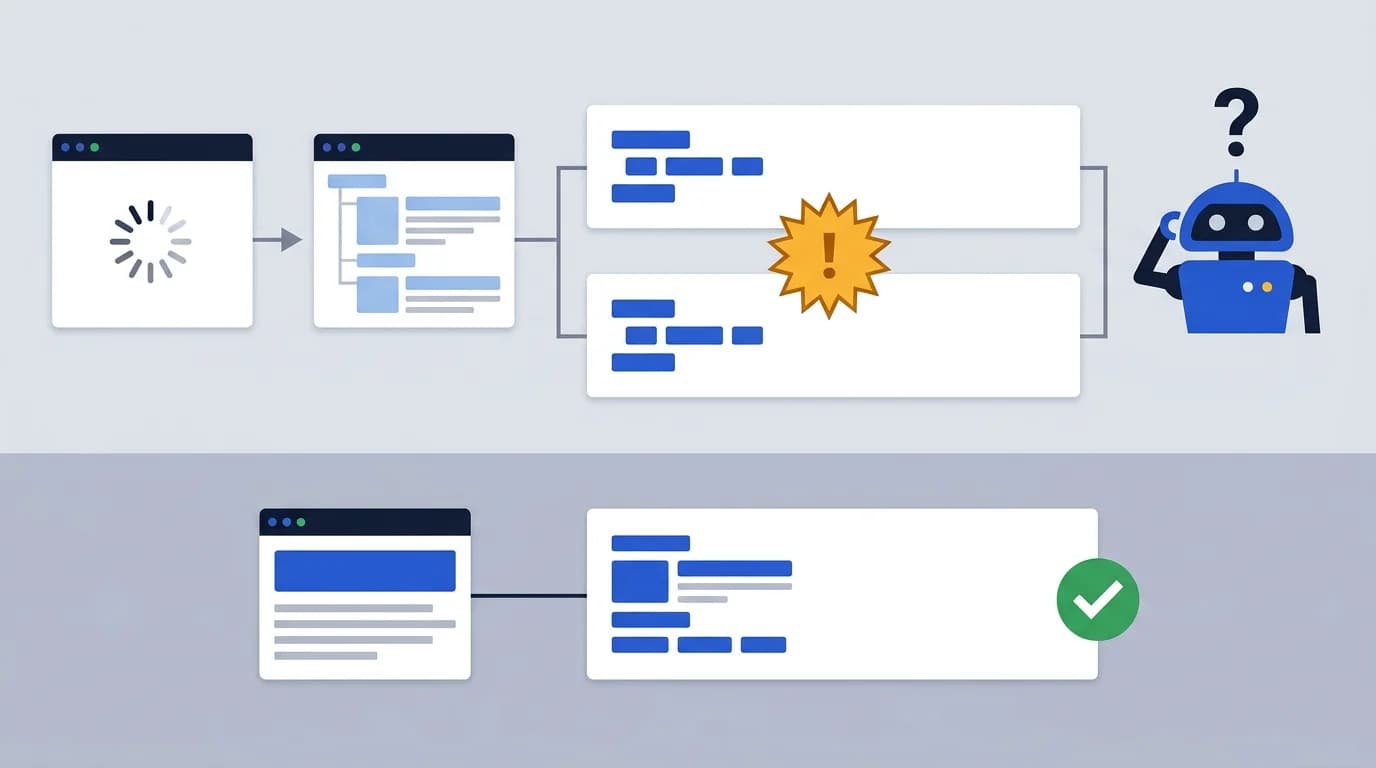
This article explains why canonical issues appear on JavaScript websites, how hydration and route logic create conflicts, which templates are most vulnerable, and how teams should validate canonical stability across rendering paths.
Why Canonical Tags Break on JavaScript-Heavy Sites
Canonical tags are supposed to give crawlers a stable preferred URL for the page. On JavaScript-heavy sites, that stability often disappears because the canonical can be generated too late or from the wrong route state, which conflicts with the consolidation behavior described in Google's guidance on consolidating duplicate URLs.
The usual failure patterns include:
- canonicals injected only after hydration
- route params leaking into canonical logic
- faceted states generating self-referencing duplicates
- client-side rewrites changing the canonical after first paint
- different canonical logic between server and client rendering
Why canonical bugs are really application-state problems
This is why canonical issues on modern websites are rarely only an SEO-plugin problem. They are often application-state problems that surface through metadata, and they are best diagnosed through the lens of Google's JavaScript SEO basics rather than as isolated tag bugs.
Most canonical issues we see in production fall into a small number of repeating shapes. The taxonomy below maps each failure mode to the detection method, root cause, and remediation path, a useful artifact for turning vague metadata complaints into engineering tickets. Cross-referencing with the schema.org URL property often helps confirm whether structured-data URLs agree with the canonical link.
| Failure mode | Detection method | Root cause | Fix path |
|---|---|---|---|
| Hydration-driven canonical | Diff raw HTML vs hydrated DOM head | Canonical injected only by client head manager | Move canonical generation to SSR or prerender layer |
| Domain mismatch | Crawl with bot UA across hosts | Canonical hardcoded to a non-preferred domain | Centralize host normalization in routing config |
| Trailing slash drift | Compare /path and /path/ canonicals | Inconsistent rewrite or middleware behavior | Enforce one slash policy in edge or framework router |
| Parameter explosion | Audit indexed URLs for query strings | Filters and tracking params surviving into canonical | Strip non-canonical params before tag emission |
| Cross-origin canonical | Compare canonical host vs request host | Shared component pointing to staging or CDN origin | Bind canonical host to environment config, not literals |
The First Response Matters More Than Teams Expect
Crawlers do not always wait for the app to settle into its ideal route state. If the first response contains the wrong canonical, that wrong signal can become the crawler's first interpretation of the page.
That usually creates one of three outcomes:
- The crawler sees a generic canonical for many distinct pages.
- The crawler sees self-canonicalized parameter URLs that should have collapsed.
- The crawler sees different canonicals across different fetch contexts.
Each of those outcomes weakens indexation control. This is one reason canonical work often belongs inside a wider technical SEO audit, especially when the site also struggles with rendering or metadata timing.
Hydration Mismatches and Canonical Drift
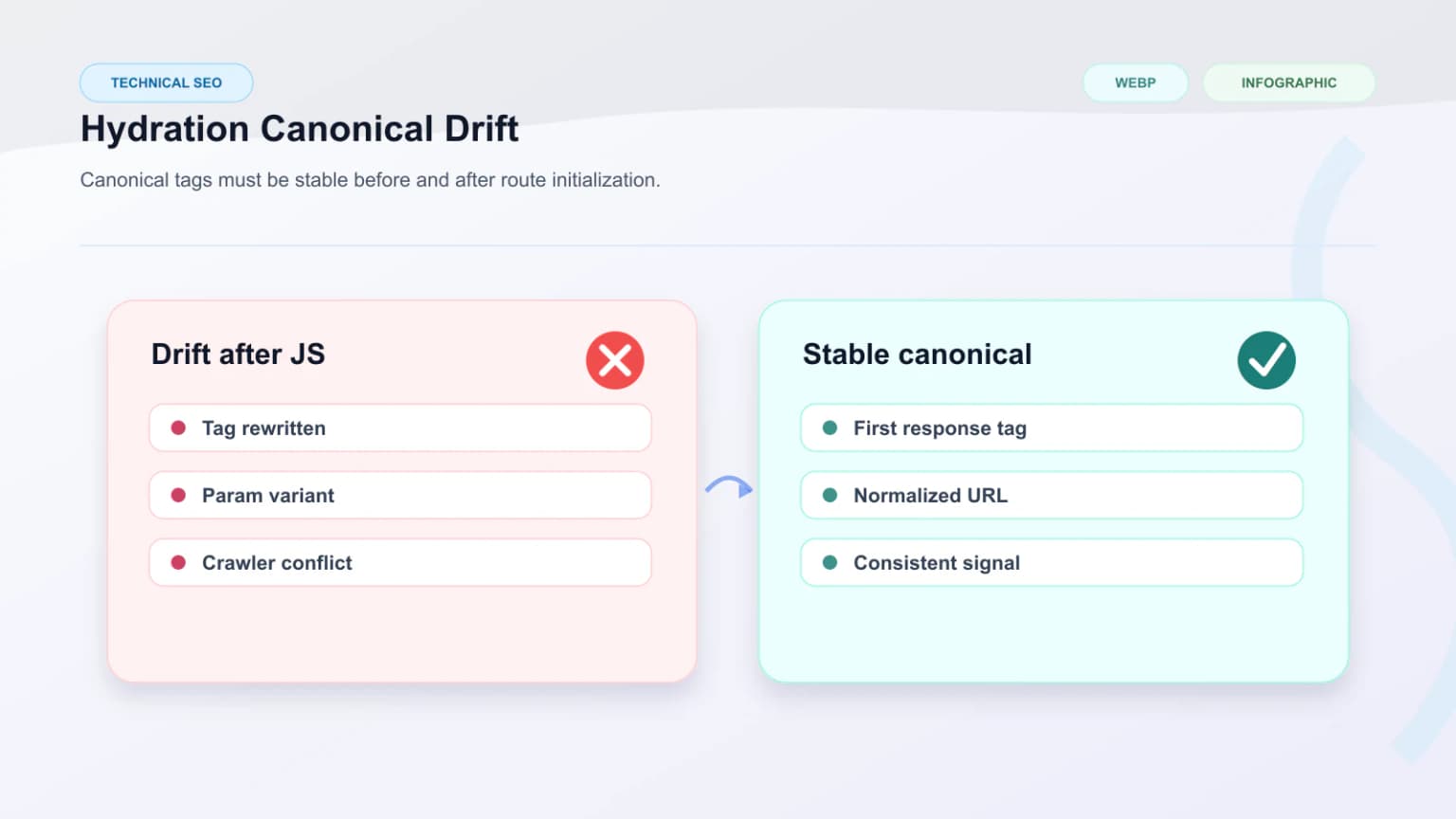
Hydration mismatches are one of the most common causes of canonical drift on JavaScript websites. The server or prerendered response may expose one canonical, but the hydrated app may rewrite the route or the head tags after the page becomes interactive.
That happens when:
- route normalization only runs in the browser
- locale or market defaults overwrite the initial URL state
- canonical logic depends on client-side state stores
- the app removes query params visually but not structurally
- head management is split across multiple components
These are not just metadata bugs. They create conflicting crawl signals that can amplify duplicate URL problems and reduce confidence in template-level indexation patterns.
Parameterized URLs and Faceted Navigation
Faceted navigation is where canonical problems usually scale from annoying to dangerous. Once filters, sorts, campaign parameters, and client-side state changes start generating many URL combinations, the canonical layer becomes the main control system for duplicate prevention.
Common weak patterns include:
- filtered URLs self-canonicalizing when they should collapse
- sorting parameters creating indexable duplicates
- campaign query strings surviving into the canonical
- paginated variants pointing to inconsistent destinations
- route fragments being treated as canonical states
How parameter sprawl drains crawl budget
This is also where canonical problems overlap directly with crawl budget optimization, because duplicate URLs consume crawl attention that should go to primary routes.
SSR, Prerendering, and Canonical Consistency
SSR and prerendering do not automatically solve canonical problems. They only make canonical control easier if the rendered output is stable and semantically aligned. The HTML specification's definition of link types including canonical is the underlying contract that crawlers, including Googlebot and Bingbot, are evaluating against.
The safest setup is one where:
- the canonical is present in the first response
- server and client agree on the preferred URL
- prerendered snapshots reflect the final route meaning
- the same template does not emit different canonicals by context
When server and client canonicals disagree
If SSR or prerendering introduces one canonical for bots and another for users, the problem becomes more serious because metadata drift now follows audience-specific rendering paths. That is why this topic connects naturally with SSR cloaking risks and semantic parity.
Template Types That Need the Most Canonical Discipline
Some template families are more exposed than others. The biggest risks usually appear where scale, route variability, and delayed rendering intersect.
The most vulnerable templates are:
- category and faceted listing pages
- product detail pages with variant states
- location or programmatic SEO templates
- internal search pages accidentally exposed
- marketing pages with tracking and experiment parameters
Why high-risk templates often need prerendering first
These are often the same routes teams target first when deciding which pages should use prerendering, because weak initial HTML and unstable metadata tend to appear together.
Signs Your Canonical Setup Is Failing
Teams should not wait for a major ranking loss to diagnose canonical drift. There are usually visible operational signs earlier in the lifecycle.
Look for:
- unexpected duplicates in search console reporting
- important pages marked as duplicates without strong reason
- template families indexing under parameterized URLs
- canonicals that differ between raw HTML and hydrated output
- metadata QA tools showing inconsistent preferred URLs
Those are strong signals that the canonical system is being generated from unstable route logic rather than from a trusted source of truth.
How to Fix Canonical Issues on JavaScript Websites
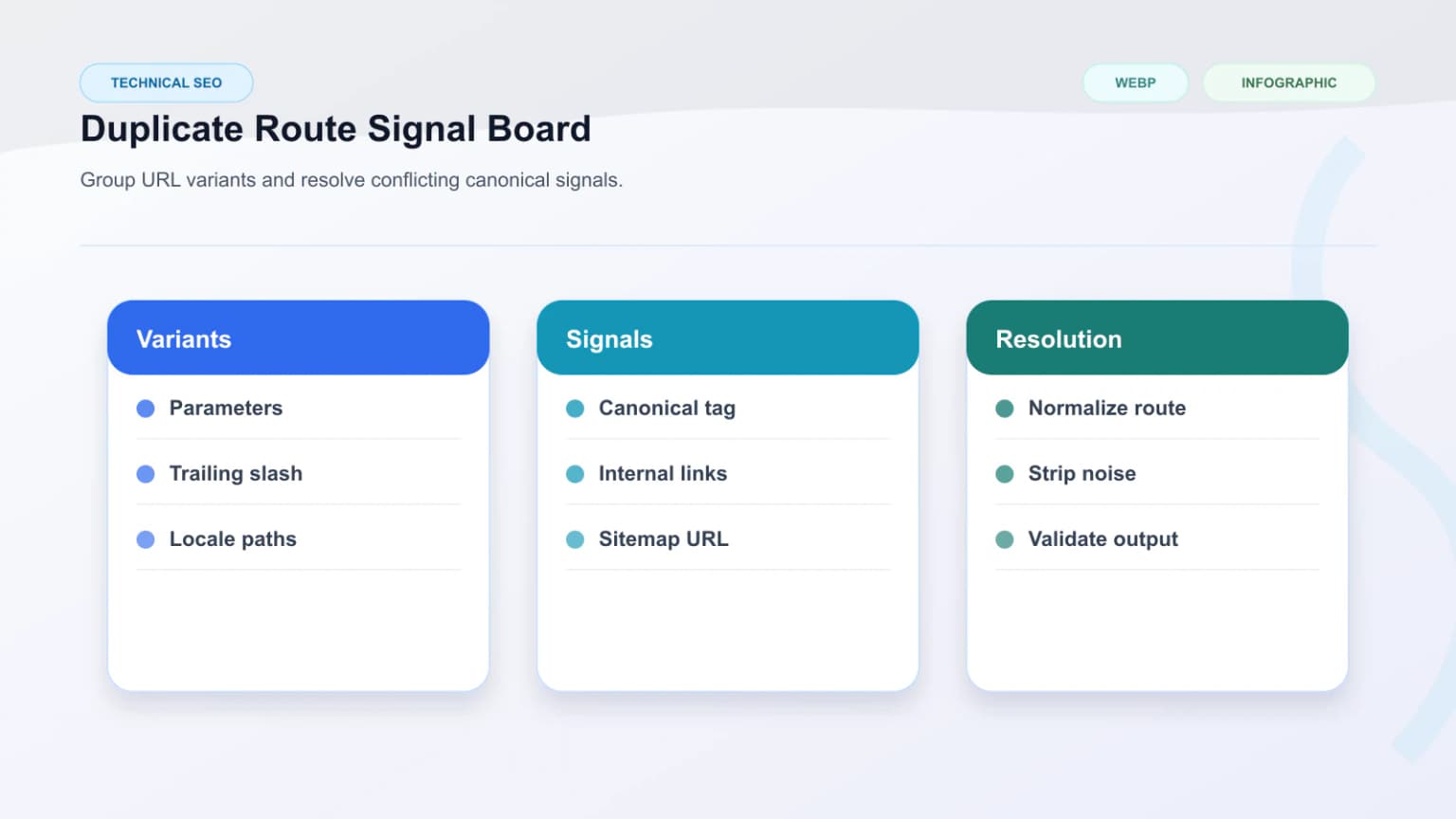
The most reliable fixes usually simplify the metadata decision path and move canonical logic closer to the first response.
Good fixes include:
- generate canonicals from normalized route data before hydration
- strip non-canonical params from the preferred URL model
- keep one canonical rule source per template family
- collapse low-value filtered states intentionally
- verify that SSR, prerendering, and hydrated routes agree
- audit internal links so they reinforce the canonical target
The goal is not just to output a canonical tag. The goal is to make sure the whole system agrees on the same preferred URL early and consistently.
How to Validate Canonicals Across Rendering Paths
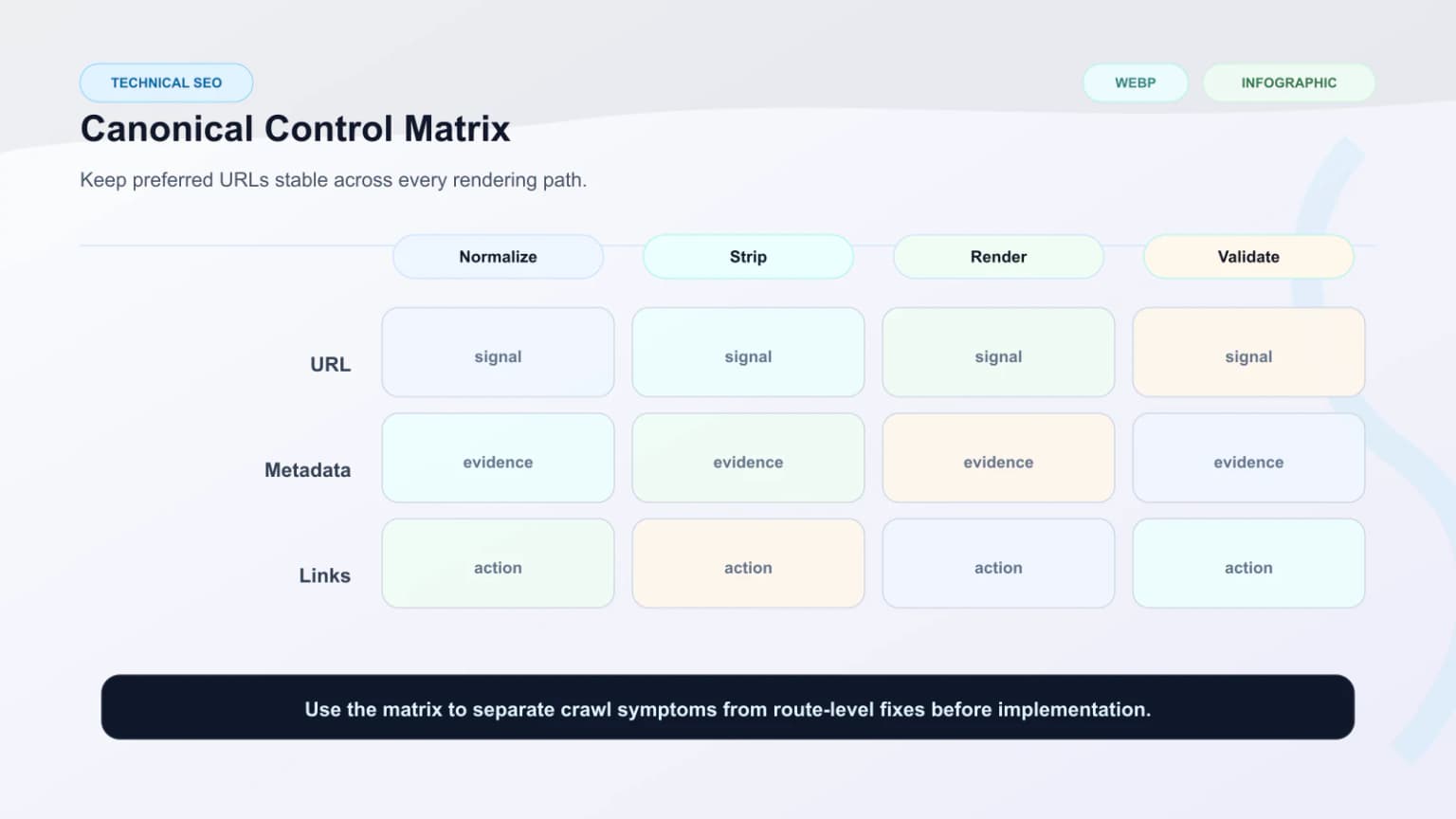
Validation should compare canonical behavior across the same route in multiple contexts. A route is not safe just because the browser eventually shows the right head tag.
A strong validation workflow checks:
- raw HTML before hydration
- prerendered output when used
- hydrated DOM after route initialization
- canonical behavior on parameterized variants
- sitemap exposure for canonical targets
- internal links pointing to the preferred URL
Teams usually support this with a View as Bot vs Prerender comparison and an Extract Sitemap audit for canonical targets. For Google-side confirmation, the URL Inspection tool shows the canonical Google selected for a URL versus the one declared in the page.
A reliable smoke test from CI or a terminal is to extract the canonical link directly from the bot-facing HTML and compare it across environments:
# Extract canonical tag as Googlebot sees it
curl -s -A "Googlebot" https://example.com/page \
  | grep -oP '<link[^>]*rel="canonical"[^>]*>'

# Compare canonical between staging and production for the same path
for HOST in staging.example.com www.example.com; do
  echo "$HOST:"
  curl -s -A "Googlebot" "https://$HOST/page" \
    | grep -oP 'rel="canonical"\s+href="[^"]+"'
done
| Canonical pattern | Typical result | Risk level |
|---|---|---|
| Stable canonical in first response | Clear preferred URL | Low |
| Canonical updated only after hydration | Conflicting crawler signals | High |
| Self-canonicalized filter URLs | Duplicate indexation growth | High |
| Shared template source of truth | Better indexation control | Low |
Conclusion
Canonical issues on JavaScript websites usually point to unstable route logic, delayed metadata generation, or conflicting rendering paths. The problem is rarely the tag alone. It is the system that decides what the preferred URL should be and when that signal becomes visible to crawlers.
The strongest fix is early, stable, template-level canonical control. When the first response, hydrated route, and internal linking model all reinforce the same preferred URL, canonical tags start doing their real job again: reducing duplicate ambiguity and improving indexation clarity.
Content Cocoon
Canonical Issues Editorial Cluster
This article should connect canonical stability back to rendering reliability, indexation control, semantic parity, and technical SEO audit work on JavaScript-heavy websites.
Internal Pathways
JavaScript SEO
Relevant when canonical problems begin with thin initial HTML, delayed metadata, or hydration-driven route logic.
Technical SEO Audit
Useful when canonicals, metadata, rendering, and indexation problems need to be reviewed together.
Crawl Budget Optimization
A companion article for understanding how duplicate or unstable routes waste crawler attention.
SSR Cloaking Risks and Semantic Parity
Useful when server and client rendering paths produce different canonical or metadata states.
External Technical References
View as Bot vs Prerender
Helpful for comparing crawler-facing metadata with the intended final rendered route.
Prerender Checker
Useful for validating whether prerendered HTML exposes the expected canonical state.
Extract Sitemap Tool
Helpful when auditing which canonicalized URLs are actually exposed to crawlers.
Frequently Asked Questions
Why do canonical tags fail on JavaScript websites?+
They often fail because canonical logic depends on hydration, client-side route state, query parameters, or split metadata systems, which can expose conflicting preferred URLs to crawlers.
Can hydration change a canonical after the crawler already saw the page?+
Yes. That is one of the most common causes of canonical drift on JavaScript-heavy sites, especially when route normalization only happens in the browser.
Are faceted URLs a common canonical problem?+
Yes. Sorting, filtering, campaign parameters, and variant states frequently create duplicate URL combinations that need clear canonical control.
How should teams validate canonical consistency?+
They should compare raw HTML, prerendered output, hydrated DOM, sitemap targets, and internal links to ensure the same preferred URL is reinforced across all rendering paths.