"Crawled, currently not indexed" usually means search engines reached the page, processed enough of it to make a judgment, and still decided not to keep it in the index. On JavaScript-heavy websites, that decision often comes from a mix of weak first-response HTML, duplicate signals, thin-value templates, and routes whose final meaning is harder to trust than teams realize, which is one of the recurring patterns described in Google's JavaScript SEO basics.
As of April 2026, this article reflects current Search Console reporting behavior and Google's latest indexing guidance for JavaScript-rendered routes.
That is why this status is not just a crawl problem. It is an indexation-quality problem. The page was not ignored completely. It was seen and deprioritized. On modern sites, that usually puts the issue between crawl budget optimization, canonical control, and JavaScript SEO. If the crawler fetches the route but does not find enough stable value, the page can stay out of the index even when discovery is working fine.
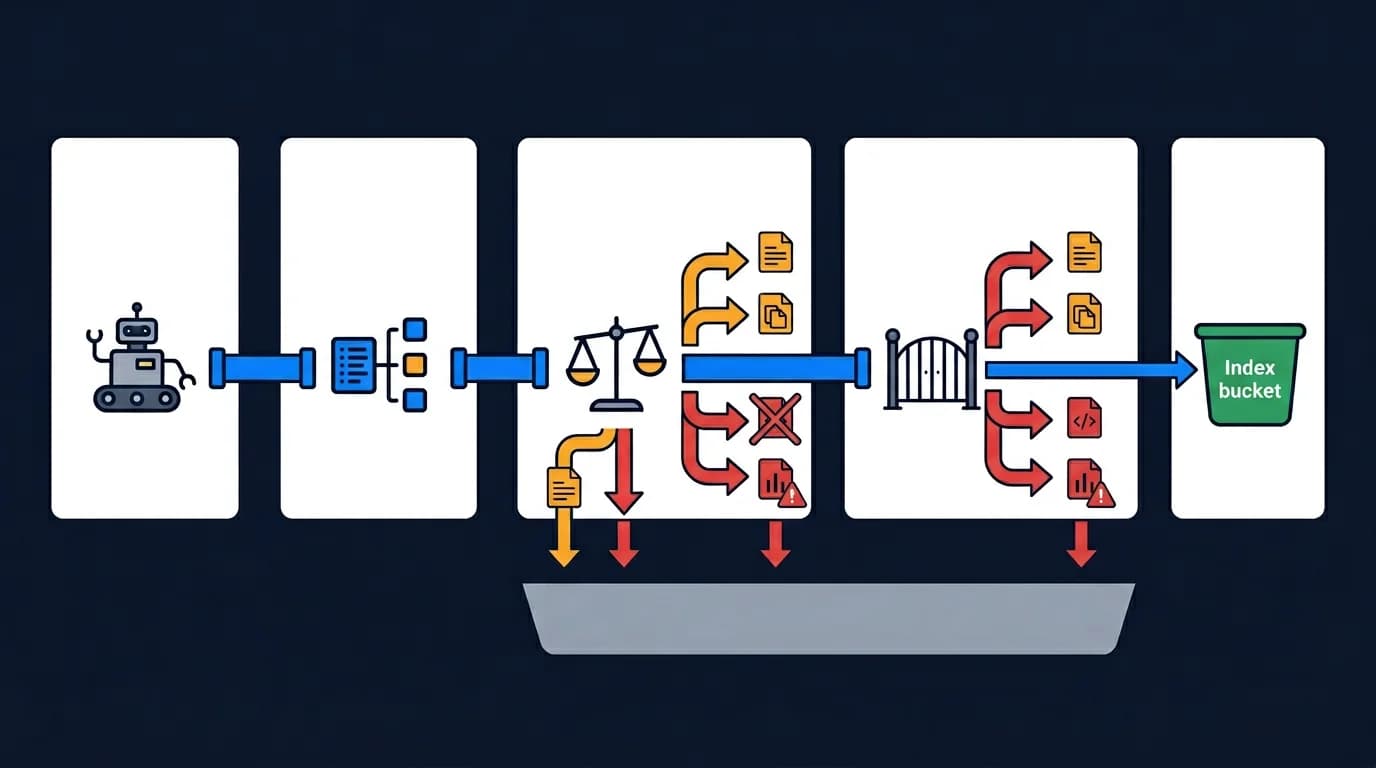
This article explains why pages get crawled but not indexed, how JavaScript-heavy delivery makes the problem worse, which route patterns are most vulnerable, and how teams should diagnose the real cause before shipping fixes.
What Crawled but Not Indexed Usually Means
This status usually means the search engine saw the route and chose not to retain it as an index-worthy document, a class of outcome documented in Google's overview of common indexing issues. The important point is that the page was not invisible. It was evaluated and still did not make the cut.
That often happens when the page looks:
- duplicative
- thin or low-value
- unstable across rendering states
- slow to express its meaning
- weaker than the surrounding template family
Why this status is a decision, not a single diagnosis
This is why teams should not treat the status as proof of only one root cause. It is a decision outcome, not a diagnosis by itself.
Why JavaScript Sites Trigger This More Often
JavaScript-heavy websites increase the risk because crawlers may fetch a route whose first response still does not explain the page clearly. If important headings, body copy, schema, or internal links arrive too late, the route can look less useful than it really is.
Common contributing patterns include:
- thin HTML shells in the first response
- delayed content after hydration
- client-side metadata injection
- missing or unstable internal links
- template states that change meaning after execution
Why crawlable pages can still fail the indexation test
The page may be technically crawlable and still fail the indexation test because the crawler does not receive enough stable value early enough.
Crawled but Not Indexed vs Discovered but Not Indexed
The difference matters. "Discovered, currently not indexed" often points to crawl prioritization and fetch timing. "Crawled, currently not indexed" means the page got further in the pipeline and still did not pass the quality or usefulness threshold.
In practice:
- discovered but not indexed often points to crawl efficiency, server responsiveness, or route discovery
- crawled but not indexed more often points to weak value, duplication, or unstable machine-facing output
That is why this article sits next to crawl budget optimization but does not duplicate it. Crawl budget is about getting the page processed. This topic is about why it still fails after processing.
Duplicate Signals Are a Major Cause
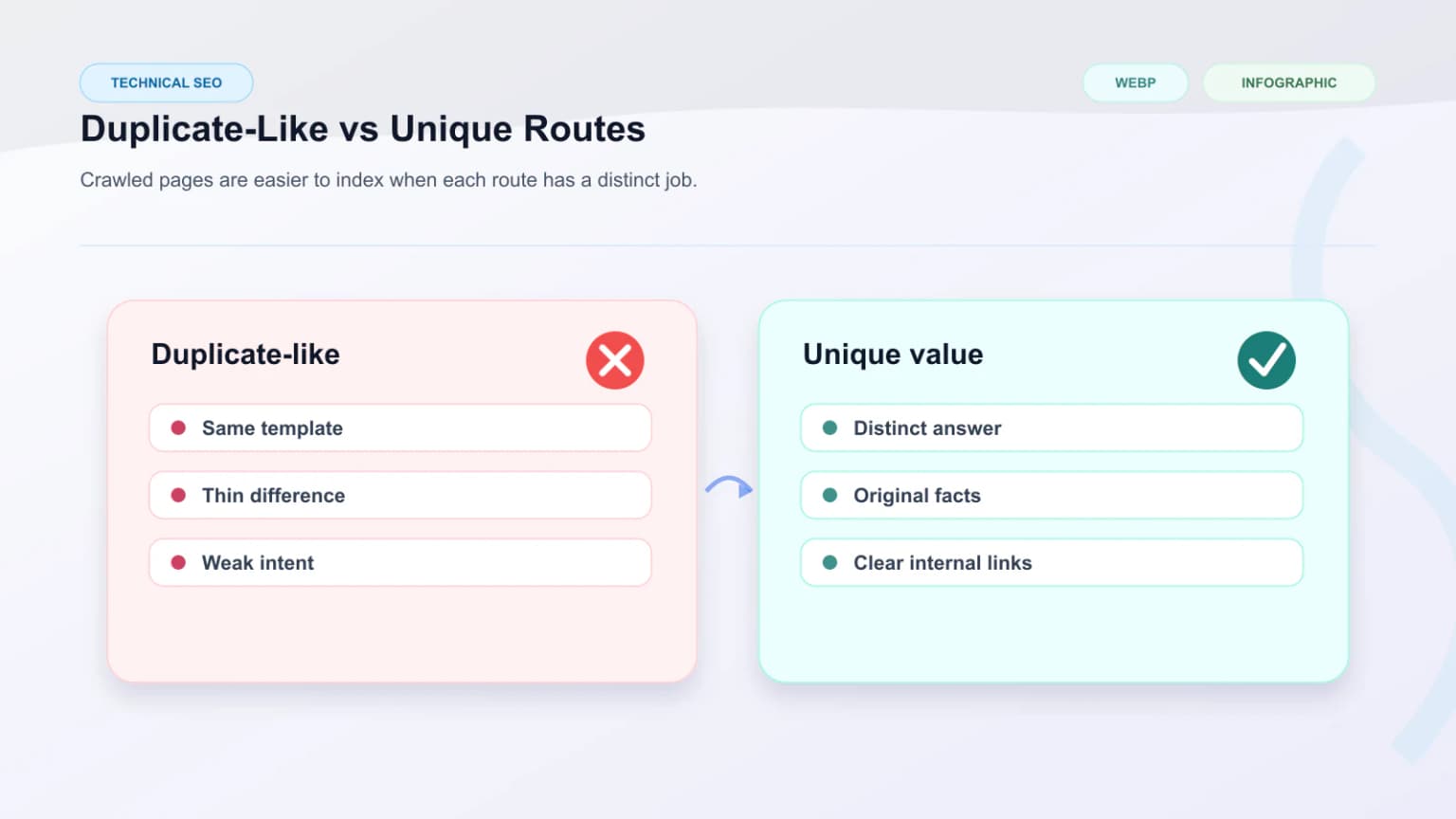
Many pages end up crawled but not indexed because search systems conclude they are too similar to another route or too ambiguous about which URL should represent the content.
The biggest duplicate drivers are:
- unstable or conflicting canonical tags
- parameterized URLs with little unique value
- faceted pages that self-canonicalize incorrectly
- near-identical template families with shallow differentiation
- route states that expose the same content under multiple URLs
How weak canonicals erode trust in the primary URL
This is where the canonical cluster matters directly. If the preferred URL model is weak, crawled pages often lose indexation because the system does not trust them as the primary version. The companion guide on canonical issues on JavaScript websites goes deeper on that layer.
Thin Value Templates and Programmatic Scale
Programmatic pages are especially vulnerable. A route can be technically unique but still fail indexation if the template contributes too little differentiated value beyond a repeated shell.
Warning signs include:
- large numbers of near-identical landing pages
- templated city or category pages with shallow copy changes
- internal search or filter pages exposed publicly
- product or listing pages with missing descriptive depth
- documentation routes with empty shells before content loads
Why search systems prune weak template families
At scale, search systems compare similar templates and keep only the strongest ones. If the content pattern feels repetitive or weak, many pages can remain crawled but not indexed even when they are discoverable.
Rendering Instability Lowers Trust
Search engines do not only evaluate whether content exists. They also evaluate whether the route is stable enough to trust. If the machine-facing output changes too much between fetch contexts, that can reduce confidence in the page.
That usually appears when:
- server and client output drift apart
- metadata and canonicals change after hydration
- key content fails to render consistently
- different fetch environments receive different route states
These issues overlap strongly with SSR cloaking risks and semantic parity, because unstable route meaning weakens the page even without deliberate deception.
Internal Linking and Context Still Matter
Even when the page itself looks acceptable, weak internal linking can reinforce a "low priority" interpretation. If the route sits far from the main architecture or receives links mostly from low-value templates, search systems may treat it as peripheral.
Teams should review:
- whether important pages receive prominent internal links
- whether anchor patterns explain the destination clearly
- whether the page belongs to a coherent template hierarchy
- whether canonical targets are the ones being linked internally
Why indexation loss is often architectural
This is one reason indexation loss is often architectural. The route does not live alone. Search engines evaluate it inside the context of the site's linking and duplication model.
How to Diagnose the Real Cause
The strongest diagnosis does not start with guesswork. It starts by comparing route types and checking what crawlers actually received.
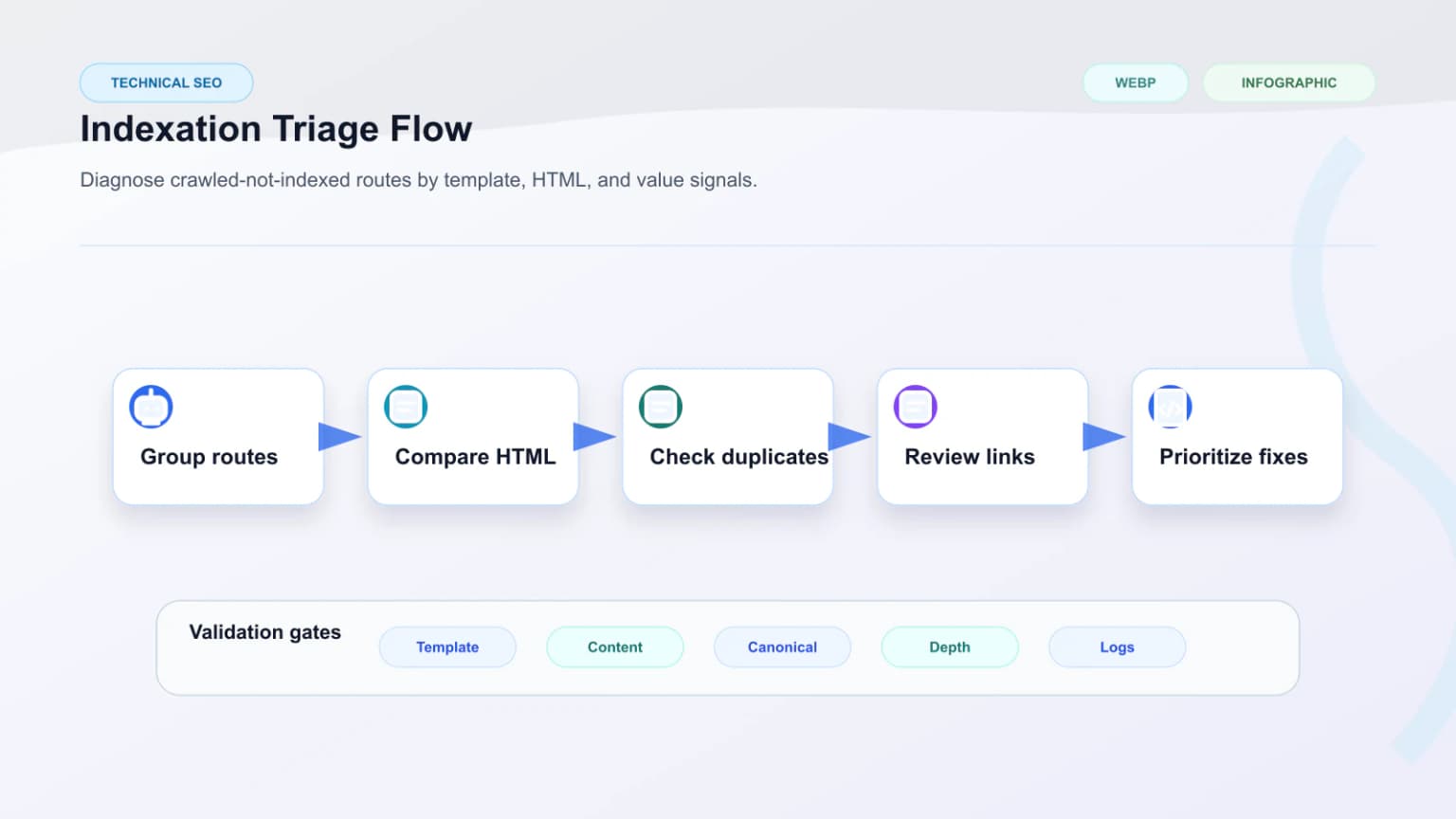
A useful workflow looks like this:
- Group affected URLs by template.
- Compare raw HTML against the fully rendered route.
- Check canonicals, metadata, and schema in the first response.
- Review whether near-duplicate routes exist.
- Inspect internal links to the affected templates.
- Decide whether the issue is value, duplication, or delivery quality.
That template-first view is important because one failing route often reveals a whole failing page family.
Where Prerendering Actually Helps
Prerendering helps when the route is being held back by weak machine-facing delivery rather than by fundamentally weak content. If the page becomes meaningfully clearer once rendered into deterministic HTML, prerendering can improve the crawler's understanding of the route.
It is most useful when:
- the first response is too thin
- key content appears only after hydration
- schema and metadata arrive too late
- internal links are hidden inside client-rendered components
When prerendering will not be enough
It will not solve every case. If the page is duplicative or low-value even after full render, prerendering alone will not make it index-worthy. That is why teams should separate delivery problems from content or duplication problems before rollout.
What to Fix First
The highest-leverage fixes usually follow the diagnosis:
- fix canonical conflicts and duplicate URL states
- improve first-response HTML for affected templates
- strengthen unique value on thin programmatic pages
- reduce low-value crawlable parameter combinations
- improve internal linking to preferred indexable routes
- use prerendering where machine-facing output is too weak
The common mistake is trying to solve all crawled-not-indexed cases with a single action. In practice, the status is a symptom of multiple possible failures that need different fixes.
Validation After Changes
After teams ship fixes, they should re-check the same routes instead of assuming the issue is resolved globally.
Strong validation checks:
- raw HTML completeness before hydration
- canonical consistency
- internal links to preferred routes
- template-level uniqueness and content depth
- whether the prerendered route now exposes stable value
- whether affected pages start moving out of the recurring failure set
Useful support tools include a Crawler Checker and a Prerender Checker to inspect what machines can actually consume.
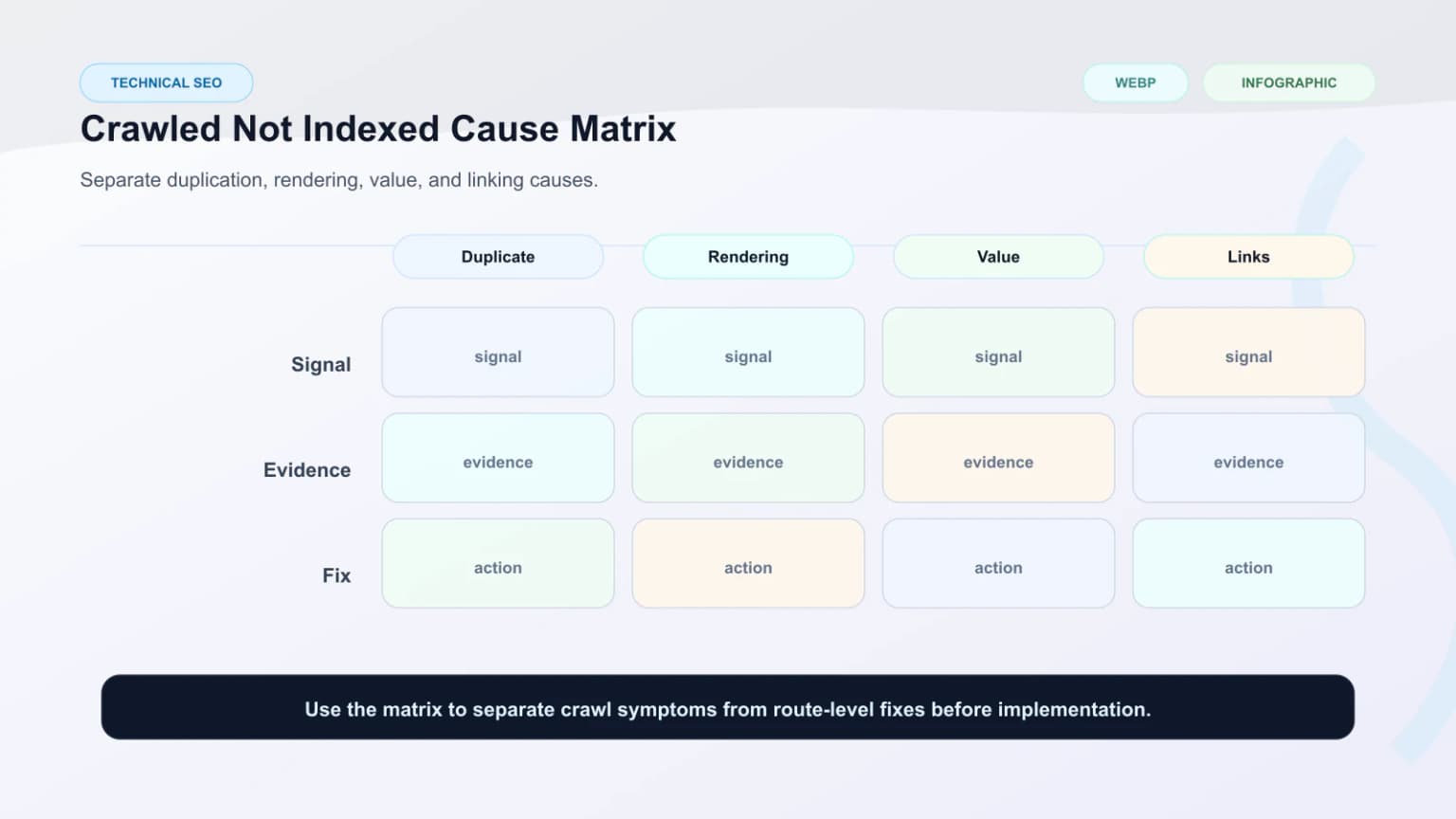
| Root cause | Typical signal | Best first fix |
|---|---|---|
| Thin first-response HTML | Page looks empty before hydration | Improve machine-facing delivery or prerendering |
| Canonical conflict | Similar pages compete or collapse unpredictably | Normalize preferred URL logic |
| Thin-value templates | Many pages share shallow structure | Improve differentiation and content depth |
| Weak internal linking | Important pages feel peripheral | Strengthen architecture and anchor context |
Conclusion
Pages get crawled but not indexed when search engines fetch the route and still conclude that it is not the best version, not valuable enough, or not stable enough to keep. On JavaScript-heavy websites, that usually means route-level value and route-level delivery need to be diagnosed together.
The strongest teams do not treat this status as a mystery. They group affected pages by template, compare what bots actually receive, fix duplication and canonical problems, and improve machine-facing clarity where rendering is the real blocker. Once those systems align, more of the right pages can move from being merely crawled to being truly indexable.
Content Cocoon
Crawled Not Indexed Editorial Cluster
This article should connect route-level indexation loss back to rendering quality, canonical control, crawl prioritization, and the technical SEO work needed to diagnose weak or duplicate templates.
Internal Pathways
Crawl Budget Optimization
A companion article for understanding when crawl efficiency and low-value URL patterns contribute to indexation loss.
Canonical Issues on JavaScript Websites
Relevant when duplicate signals or unstable preferred URLs are causing crawled routes to stay out of the index.
JavaScript SEO
Useful when crawled-not-indexed states begin with thin initial HTML, delayed rendering, or machine-facing content gaps.
Technical SEO Audit
The parent service for teams that need route-level indexation loss diagnosed across rendering, duplication, and crawl systems.
External Technical References
Crawler Checker
Helpful for confirming that bots can actually fetch the route and receive the expected response.
View as Bot vs Prerender
Useful when comparing crawler-facing HTML against the intended machine-readable route output.
Prerender Checker
Helpful for validating that rendered content is complete enough to support indexation.
Frequently Asked Questions
What does crawled but not indexed usually mean?+
It usually means the search engine fetched the page, evaluated it, and still decided not to keep it in the index because of duplication, thin value, unstable delivery, or weak route-level signals.
Is crawled but not indexed the same as discovered but not indexed?+
No. Discovered but not indexed often points to crawl prioritization or fetch timing, while crawled but not indexed usually means the page got further in the pipeline and still did not pass the indexation threshold.
Can JavaScript rendering cause crawled but not indexed issues?+
Yes. Thin first-response HTML, delayed content, unstable metadata, and hidden internal links can make a route look weaker than it really is to search systems.
Will prerendering fix every crawled but not indexed page?+
No. Prerendering helps when the real issue is weak machine-facing delivery. It will not solve fundamentally duplicative or low-value pages by itself.