Most teams reach the prerendering question backwards. They hear about prerendering at a conference, ask their SRE if they should buy it, and end up either over-investing in a layer they don't need or under-investing on a site that needed it eighteen months ago. The right path is a sequence of cheap tests that take an afternoon to run and answer the question with evidence instead of opinion.
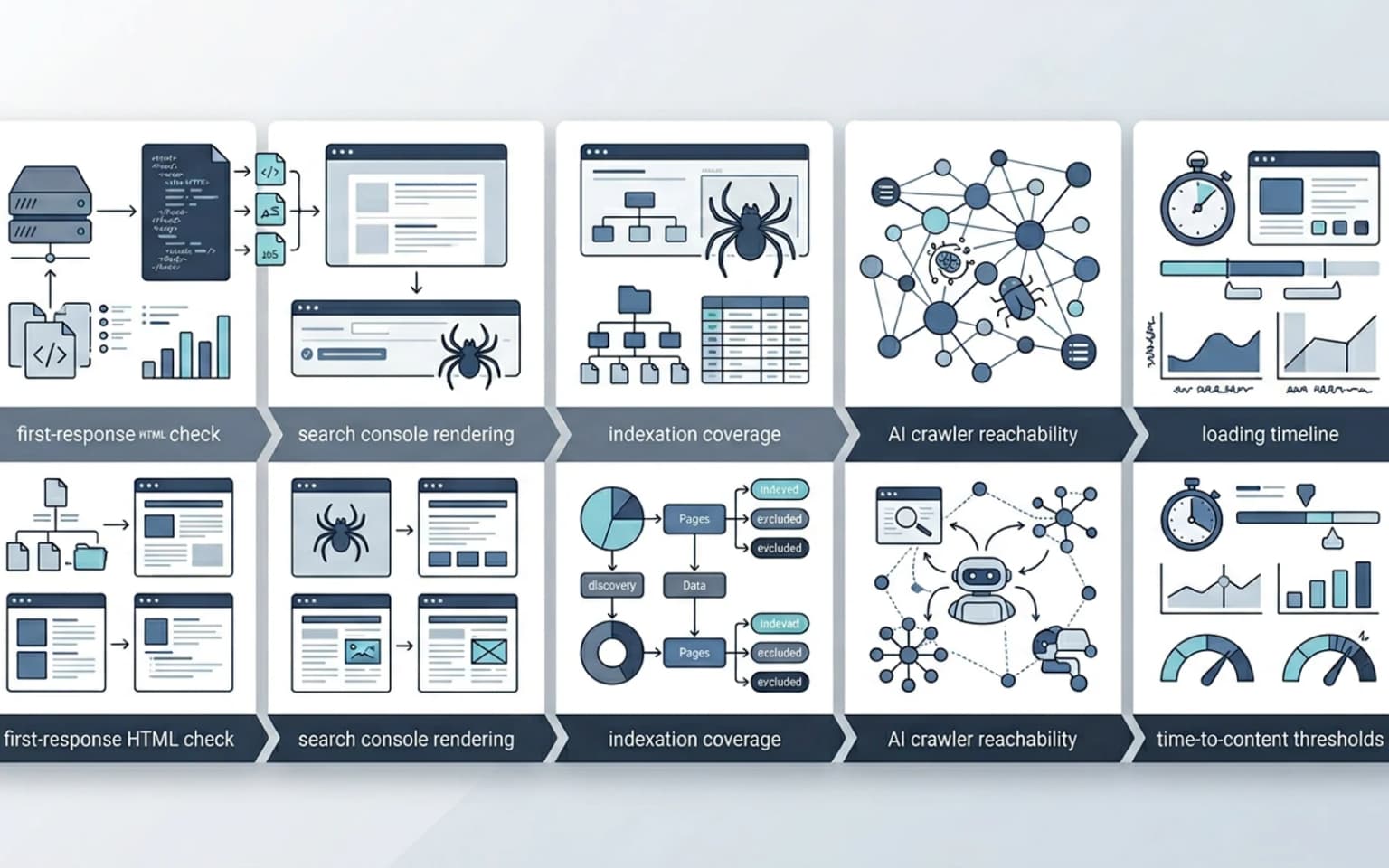
Updated for April 2026, this guide walks through the diagnostic tests that decide whether a site benefits from prerendering. We cover what to check, what tools to use, what failing each test means in practice, and how to score the results to reach a defensible recommendation. The diagnostic feeds directly into the broader prerendering for technical SEO and the JavaScript SEO work, and into the followup decisions about which rendering model fits the site.
When this question even comes up
Three signals usually push a team toward asking whether they need prerendering:
- Indexation is below expected in Search Console, pages submitted, not indexed, or "discovered, currently not indexed", and the team suspects the rendering model is the cause
- Organic traffic plateaued despite content investment, and the suspicion is that crawler-facing HTML is incomplete
- AI search visibility is weaker than competitors with similar content (no citations in ChatGPT, Perplexity, Claude), and the team wants to know if the rendering layer is part of the problem
If none of these signals exist, the diagnostic still pays off as preventive work, but it is rarely urgent. We covered the symptom side in why pages are crawled but not indexed and why pages are discovered but not crawled.
The five tests that decide
Each test is independent, runs in 5 to 30 minutes, and produces a clear pass/fail result. Run all five, then score against the matrix at the end.
Test 1, First-response HTML completeness
The single most important test. Pull the raw HTML of 5 representative URLs (homepage, listing page, detail page, blog article, account page) using curl or a headless tool that does not execute JavaScript. Look at what the crawler sees in the first response.
curl -A "Mozilla/5.0 (compatible; Googlebot/2.1; +http://www.google.com/bot.html)" \
  -L https://example.com/your-page
Open the response in an editor and check:
- Is the main content (the body of the article, the product description, the heading) present in the HTML?
- Is the title tag set, with real content, not a default placeholder?
- Is the meta description present?
- Is the canonical link set, pointing to the correct URL?
- Is the structured data (
application/ld+json) present and complete? - Are the internal links visible as actual
<a href="...">tags, or are they placeholder elements that hydrate later?
Pass: every item above is in the first-response HTML on every URL tested. Fail: the main content, metadata, or structured data appears only after JavaScript runs.
This is the most common reason a site benefits from prerendering. The patterns we see most often: a SPA shell that loads in <div id="root"></div> with the content arriving via API calls; a Next.js client component that fetches data in useEffect and renders nothing on the server.
Test 2, Search Console "rendered HTML" comparison
In Search Console URL Inspection, submit one of your problematic URLs and use "View Tested Page → HTML." Compare what Google sees against what humans see.
Pass: the rendered HTML in Search Console matches what the user sees in the browser, including all main content. Fail: Google's rendered HTML is missing significant content, or fields like canonical and structured data are empty.
This is the most credible signal because it shows what Google actually fetches. We have seen sites where the curl test passes (server returns reasonable HTML) but Search Console shows incomplete rendering due to client-side errors during the Web Rendering Service pass.
Test 3, Indexation coverage in Search Console
In Search Console, check the Pages report. Filter to "Submitted and indexed" vs "Submitted and not indexed." Look at the ratio.
Pass: ≥85% of submitted URLs are indexed. Healthy site. Marginal: 70–85% indexed. Some signal of rendering or quality issues. Fail: below 70% indexed. Strong signal that something is blocking indexation, possibly rendering, possibly quality, possibly thin content.
A rendering-driven indexation failure tends to look like: large numbers of URLs in "Discovered, currently not indexed" or "Crawled, currently not indexed." Quality-driven failures look more like "Soft 404" or "Duplicate without user-selected canonical." We covered the diagnostic patterns in soft 404s and thin pages at scale and why pages are crawled but not indexed.
Test 4, AI crawler reachability
The newer test, increasingly important in 2026. Pull the HTML from the perspective of major AI crawlers and check whether content is visible.
curl -A "GPTBot/1.0 (+https://platform.openai.com/docs/bots)" \
  -L https://example.com/your-page

curl -A "PerplexityBot/1.0 (+https://www.perplexity.ai/perplexitybot)" \
  -L https://example.com/your-page

curl -A "ClaudeBot/1.0 (+https://claudebot.anthropic.com)" \
  -L https://example.com/your-page
Some AI crawlers handle JavaScript; many do not. For most production AI crawlers in 2026, the assumption to plan for is "first-response HTML only." Test 1 covers most of this; test 4 is the explicit version with the actual user agents AI engines send.
Pass: content is in the first response for all three. The site is AI-crawler-ready. Fail: content is missing for at least one AI crawler. Citations in that engine's answers will be limited or absent.
This is the test that most differentiates 2026 from 2023. Google's WRS is forgiving of JavaScript; many AI engines are not. Sites that passed the Google test three years ago can still fail the AI crawler test today. We covered the broader pattern in llms.txt and AI crawl directives and structured data for AI visibility.
Test 5, Time-to-content for crawlers
Run a Lighthouse audit (or PageSpeed Insights) and look at the "Performance" panel. Specifically:
- Largest Contentful Paint, is it above 4 seconds at p75? That is the threshold where Google tends to give up before rendering completes.
- Time to Interactive, is it above 7.3 seconds? At that point even patient crawlers may not see fully rendered content.
- Total Blocking Time, is it above 600 ms? Heavy main-thread work indicates significant client-side rendering.
Pass: all three under the thresholds above. Fail: any of them well above. The site renders too slowly for crawlers to consistently capture the full DOM.
This test catches sites where the HTML eventually does render correctly, but the time it takes exceeds Googlebot's rendering budget. The fix is either reducing JavaScript work or shipping a prerendered version that doesn't need rendering at all. The metric layer is in Core Web Vitals optimization for engineering teams.
Scoring matrix, what the results mean together
Run all five tests, then score the site:
| Tests passed | Recommendation |
|---|---|
| 5 / 5 | No prerendering needed. The site is shipping complete HTML to crawlers. Focus engineering time elsewhere. |
| 4 / 5 | Prerendering may help; investigate the failing test first. A single failure often points to a specific fix that doesn't require a prerendering layer. |
| 3 / 5 | Prerendering likely helps. Multiple rendering-side issues suggest the underlying architecture is the constraint. Consider a small managed prerendering trial before committing. |
| 2 / 5 or fewer | Prerendering is the right move. The current rendering path is materially limiting search and AI visibility. Move to scoping the deployment, see build vs buy prerendering. |
The scoring is deliberately conservative. We have rarely seen a site that passes 4/5 tests benefit dramatically from adding prerendering. We have rarely seen a site that fails 3+ tests recover without it.
What prerendering will not fix
A few things to rule out before reaching for prerendering:
- Indexation issues caused by thin content, prerendering ships the same thin content faster, which doesn't help
- Canonical conflicts, prerendered HTML will faithfully reproduce a wrong canonical, not fix it
- Sitemap drift, broken sitemap pointing to dead URLs is a sitemap problem, not a rendering problem
- Crawl budget exhaustion on facets and filters, that is a robots.txt and URL architecture issue, covered in faceted navigation SEO for large websites
- Performance issues that come from oversized images or heavy fonts, those are separate concerns, mapped in image SEO at scale
If the diagnostic shows prerendering would help, it should help in addition to, not instead of, fixing those other issues.
What to do if the site is borderline
The marginal case (3/5 tests passed) is where we see teams either over-invest or under-invest most often. The pragmatic path:
- Pilot a managed service for 30 days on the most affected template family
- Compare before-and-after metrics, Search Console indexation, organic sessions on the affected URLs, AI citation presence
- Make the decision with data, not with the abstract worry that "rendering might be the problem"
A 30-day managed trial costs $90 to $300 and answers the question definitively. That is significantly cheaper than either committing to a build or accepting the status quo and continuing to lose traffic. The cost analysis is in build vs buy prerendering.
Common engineering mistakes
Patterns we see when teams answer this question without running the tests:
- Adding prerendering to a site that already ships complete HTML (extra layer, no benefit)
- Skipping the diagnostic and assuming prerendering is needed because "it's a JavaScript site"
- Running only the curl test and missing rendering issues that show up in Search Console
- Testing with a generic user-agent and missing the AI-crawler-specific failures
- Treating "low organic traffic" as evidence for prerendering without checking whether content quality is the actual constraint
- Pulling the HTML once and assuming it is representative, sites often have intermittent rendering issues that show up on 1 in 5 requests
The diagnostic is cheap. Running it before committing to a layer is much cheaper than running it after and finding out the layer wasn't the bottleneck.
How to format the diagnostic for stakeholders
A useful one-page output:
- 5 tests, with pass/fail for each
- Score: X/5
- Recommendation: based on the matrix above
- Evidence: 2 to 3 screenshots, Search Console URL inspection result, curl output for one URL, Lighthouse score
- Suggested next step: either "no action," "pilot," or "scope deployment"
This format converts a fuzzy "should we prerender?" conversation into a concrete decision in a single meeting. We use this exact one-pager on every prerendering scoping engagement.
Conclusion
The "should we prerender?" question is answerable with five tests that take an afternoon to run. Pull the first-response HTML, check Search Console rendering, look at indexation rates, test AI crawler visibility, and measure time-to-content. Score the results and let the score drive the recommendation.
The wrong answer in either direction, over-investing in a layer the site doesn't need, or under-investing on a site that has lost a year of organic growth to incomplete rendering, is expensive. The diagnostic is cheap. Run it before committing.
Content Cocoon
Prerendering Diagnostic Cluster
Tie the prerendering diagnostic back to the rendering model comparison, the build-vs-buy decision, and the indexation patterns that decide whether the site benefits from a rendering layer change.
Internal Pathways
Prerendering vs SSR vs SSG: 2026 Decision Guide
The next step after the diagnostic, which rendering model fits the route shape.
Build vs Buy Prerendering: A Cost Analysis
Once the diagnostic confirms prerendering is needed, the deployment-side cost decision.
Why Pages Are Crawled But Not Indexed
The indexation patterns that often signal a rendering issue worth diagnosing.
Prerendering
The parent service for teams running the diagnostic and scoping the deployment.
Frequently Asked Questions
How can I check if my site needs prerendering quickly?+
Run curl with a Googlebot user agent against five representative URLs and check whether main content, title, meta description, canonical, and structured data are in the first response. If any of those are missing on a JavaScript-heavy site, prerendering is likely needed.
What does "Discovered, currently not indexed" tell me about rendering?+
It is a strong signal that Google saw the URL but did not index the content. On JavaScript-heavy sites, this often means the rendering pass returned incomplete HTML. Combined with thin content scores or failing curl tests, it points to a rendering-layer fix like prerendering.
Are AI crawlers different from Googlebot for this test?+
Yes. Most AI crawlers in 2026 (GPTBot, PerplexityBot, ClaudeBot) do not execute JavaScript. They rely on the first-response HTML. A site that passes a Googlebot test can still fail an AI crawler test, which is why we test both explicitly.
Should I run a prerendering trial if the diagnostic is borderline?+
Yes. A 30-day managed prerendering trial costs $90 to $300 and answers the question with data. Compare indexation rates, organic sessions, and AI citation presence before and after. That cost is much smaller than either an unnecessary build or a year of lost traffic.