Most SEO regressions ship because no one was watching at merge time. Field data lags by 28 days, dashboards lag by 24 hours, and by the time someone notices the canonical broke or the bundle got 800 KB heavier, it has been live for a week. CI gates are the cheapest place to catch all of this.
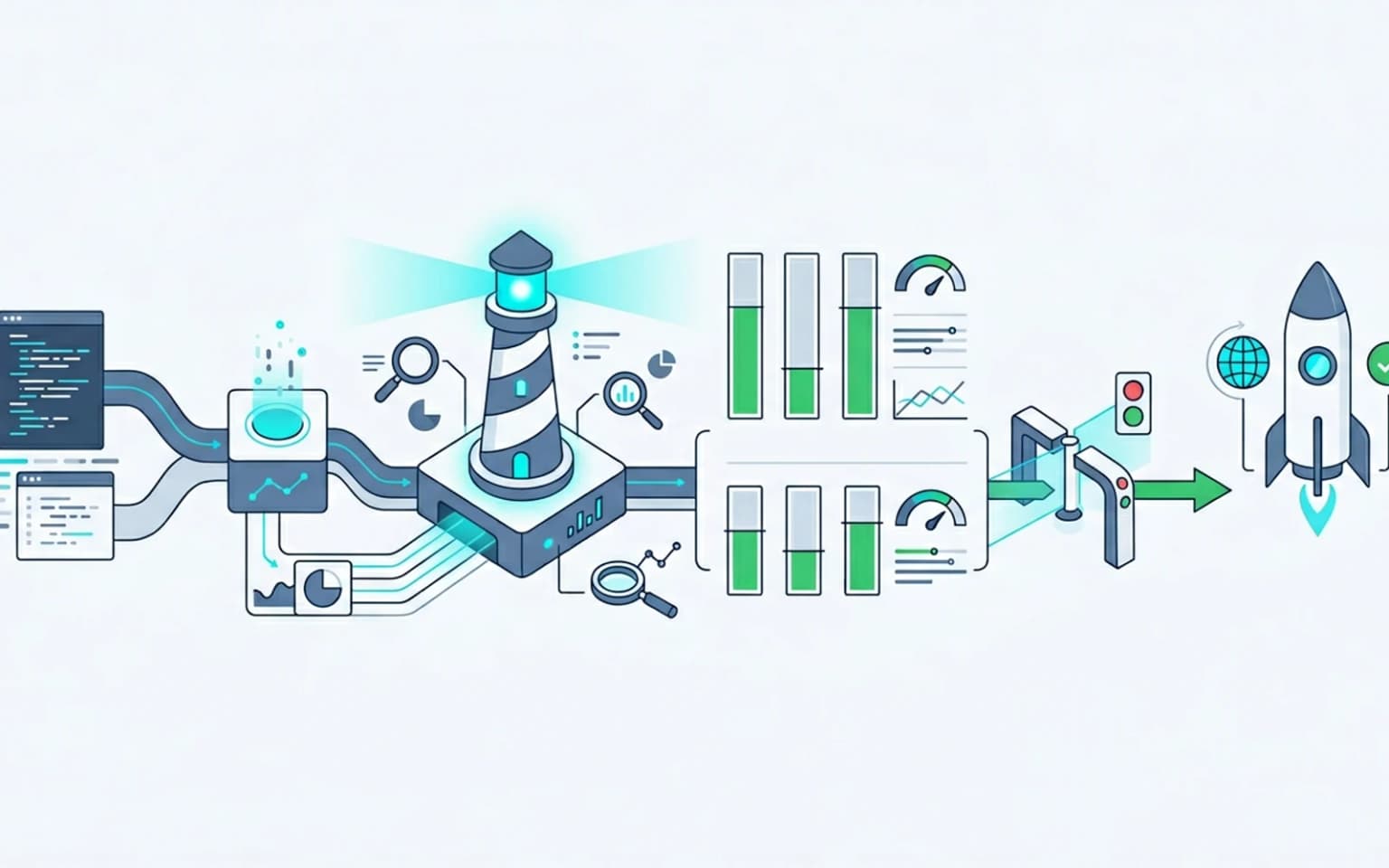
Updated for April 2026, this guide explains how to use Lighthouse CI to validate technical SEO and Core Web Vitals on every pull request. It covers the assertions worth running, the budgets worth enforcing, and the failure modes that synthetic data still cannot catch. Treat this as the CI-side companion to the broader technical SEO audit work.
Why technical SEO needs CI gates
A modern release pipeline already runs unit tests, integration tests, type checks, and linting. Performance and SEO are usually not in that list, and when they are, it tends to be a manual Lighthouse run someone clicked once. That gap is where regressions ship.
The problem with monitoring-only approaches is feedback latency. A change merges Monday, hits production Tuesday, lands in CrUX field data three to four weeks later, and only then shows up on the Search Console Core Web Vitals report. Three weeks of bad metrics for users, and three weeks of bad data for the team trying to figure out which deploy caused the regression.
CI gates close that loop in minutes instead of weeks. They are not a replacement for field measurement, they are the early-warning layer that prevents the obvious regressions before users see them.
What Lighthouse CI is, and what it isn't
Lighthouse CI is a wrapper around the same Lighthouse engine that powers Chrome DevTools and PageSpeed Insights. It runs Lighthouse on every PR, compares the result against a budget, and fails the build if the budget is exceeded.
What it gives you:
- Synthetic performance scores (LCP, INP, CLS, TTFB, total blocking time)
- SEO assertions (canonical, robots, meta, structured data presence)
- Accessibility checks
- Best-practices warnings (mixed content, console errors, deprecated APIs)
- A trend chart over time, if you persist results
What it does not give you:
- Field metrics, Lighthouse CI is lab data, by definition
- Coverage of every route, you have to pick the routes you measure
- A guarantee that the metric will pass at p75, it is a regression detector, not a forecast
We pair it with field measurement (CrUX, RUM) so the lab and field views stay in sync. The CI gate catches obvious regressions; the field data validates the actual user experience.
What to assert and what to budget
Lighthouse CI has two modes. Assertions are pass/fail checks ("LCP must be under 2500ms"). Budgets are size or count limits ("total JS must be under 250 KB gzipped"). Use both.
Per-template performance assertions
Set explicit budgets per route family. A homepage and a product detail page have different ceilings. A site-wide LCP threshold of 2.5s will fail on listing pages and pass on homepage, or the other way around. The result is alert fatigue.
The thresholds Google uses for the page experience signal are field-side, but they map cleanly onto Lighthouse CI assertion levels. A useful severity matrix the team can copy into lighthouserc.js:
| Metric | Good (assert as warn) | Needs improvement (assert as error) | Poor (block deploy) |
|---|---|---|---|
| LCP | under 2.5s | 2.5s to 4.0s | over 4.0s |
| INP | under 200ms | 200ms to 500ms | over 500ms |
| CLS | under 0.1 | 0.1 to 0.25 | over 0.25 |
| TBT | under 200ms | 200ms to 600ms | over 600ms |
The web.dev reference on Lighthouse performance scoring explains how the synthetic engine maps each metric back onto the same thresholds CrUX uses for the field signal.
A realistic per-template assertion config:
- Homepage: LCP under 2000ms, TBT under 150ms, CLS under 0.05
- Article: LCP under 2500ms, TBT under 200ms, CLS under 0.1
- Product or listing: LCP under 2500ms, TBT under 250ms, CLS under 0.1
- Authenticated dashboard: LCP under 3000ms, TBT under 350ms
Tighter on routes with simpler payloads, looser on dashboards that legitimately need to load data. We cover the metric model in detail in Core Web Vitals optimization for engineering teams.
SEO assertions beyond performance
Lighthouse audits cover most of the basics:
meta-description, present, non-empty, under 160 charactersdocument-title, present, descriptivecanonical, present, valid URLrobots-txt, accessiblehreflang, valid if usedstructured-data, parseable JSON-LD (this is now part of the Lighthouse SEO audits in 2026)crawlable-anchors, links use realhrefattributes, not click handlerslink-text, anchor text is descriptive ("learn more" fails this)
These are the cheap wins. Most of them fail during a deploy because someone changed a template, not because the team made a deliberate decision. Lighthouse CI catches those changes at PR review.
Asset budgets
In addition to metrics, set hard caps on asset sizes:
- Total JavaScript: 250 KB gzipped (high-end), 150 KB (aggressive)
- Total CSS: 50 KB gzipped
- LCP image: 200 KB
- Total images on the page: 1 MB
- Number of requests: under 50 for content pages
The point of asset budgets is that they fail loudly when someone adds a new dependency. A 300 KB chart library that creeps into a route nobody noticed is a real story we have seen on multiple audits.
Setting up Lighthouse CI in practice
The setup is straightforward, a few minutes for a working baseline, a few hours to tune assertions per template.
Install and configure
The simplest config in lighthouserc.js:
module.exports = {
  ci: {
    collect: {
      url: [
        'https://staging.example.com/',
        'https://staging.example.com/blog/example-article',
        'https://staging.example.com/products/example-product',
      ],
      numberOfRuns: 3,
    },
    assert: {
      assertions: {
        'categories:performance': ['error', { minScore: 0.85 }],
        'categories:seo': ['error', { minScore: 0.95 }],
        'largest-contentful-paint': ['error', { maxNumericValue: 2500 }],
        'cumulative-layout-shift': ['error', { maxNumericValue: 0.1 }],
        'total-blocking-time': ['error', { maxNumericValue: 200 }],
      },
    },
    upload: {
      target: 'temporary-public-storage',
    },
  },
}
numberOfRuns: 3 matters. Lighthouse on a single run is noisy; the median of three reduces variance enough to make the assertions stable. Anything less and you will get flaky CI failures.
Once the config is in place, the whole pipeline runs from a single command. The most common form for a CI job, with overrides for the URL list and run count:
npx @lhci/cli@latest autorun \
  --collect.numberOfRuns=3 \
  --collect.url=https://staging.example.com/ \
  --collect.url=https://staging.example.com/blog/example-article \
  --upload.target=temporary-public-storage
That command collects three runs per URL, applies the assertions from lighthouserc.js, and uploads the report so the PR comment can link to it. The Chrome team's DevTools performance documentation is the right companion when a failing run needs to be reproduced locally with the same trace tooling.
Run it on a representative URL list, not every page
Most teams over-reach here and try to measure every URL. That makes CI take 20 minutes and increases flakiness. The right model is one URL per template family, homepage, listing page, detail page, blog article, account page. Five to ten URLs covers most sites.
If a regression hits one specific page that is not in the URL list, the field data will catch it within a few weeks. The CI is not the only safety net; it is the first one.
CI integration
Lighthouse CI runs in any CI provider that supports running Node, GitHub Actions, GitLab CI, Buildkite, CircleCI. The pattern is the same:
- Build and deploy to a staging environment
- Run Lighthouse CI against the staging URLs
- Fail the PR if assertions fail
- Post a comment with the score deltas
The official Lighthouse CI configuration reference covers the GitHub Actions integration and the full assertions schema in detail.
Catching SEO regressions Lighthouse misses
Lighthouse covers a useful slice of SEO checks, but not all of them. The gaps:
- Canonical pointing to a different domain, Lighthouse only checks the canonical exists, not that it is correct
- Sitemap drift, when the sitemap and the canonical disagree, Lighthouse does not see it. We handle this in the XML sitemap guide.
- Schema visibility, Lighthouse sees JSON-LD in the rendered HTML, but does not check whether it appears in the first response. This matters for structured data on JS-heavy sites.
- Rendering parity, Lighthouse runs once with a real browser. It does not catch the case where bots see different HTML than humans.
For these, add custom CI checks. The pattern we use:
- A
curl -s -A "Googlebot" $URL | grep canonicalcheck that the first-response HTML contains the expected canonical - A
grep "application/ld+json"check that structured data is in the first response - A diff between the rendered HTML (via headless Chrome) and the first-response HTML, large diffs trigger a manual review
These take a few hours to wire up and prevent a class of regressions Lighthouse cannot see.
Treating Lighthouse CI like a regression detector
The biggest mistake we see with Lighthouse CI is treating the score as a goal. The Lighthouse score is a synthetic number on a controlled environment. It is useful as a regression detector, a sudden drop tells you something changed. It is not useful as a target.
A few patterns that go wrong:
- Optimizing the synthetic score instead of the field metric
- Setting thresholds so high that every PR fails (the gate becomes noise, the team starts ignoring it)
- Running Lighthouse against production instead of staging (every deploy creates the risk of regression)
- Not persisting historical results, so a regression looks like noise instead of a trend
Lighthouse CI works best when it is the cheapest layer of a multi-layer system: PR-time gate, staging-time validation, post-deploy field measurement. Each layer catches different things.
Going beyond Lighthouse, synthetic and RUM
Lighthouse CI is useful but synthetic. It runs once on a controlled environment and does not capture the long tail of real-world conditions. The other layers worth adding:
- Synthetic monitoring (Calibre, SpeedCurve, DebugBear, Checkly) for production runs on a schedule
- Real User Monitoring (Vercel Analytics, Datadog RUM, Sentry Performance) for field data with attribution to specific user segments
- Search Console alerts for the official CWV signal Search uses
The pattern that works: PR-time Lighthouse CI for fast feedback, scheduled synthetic for trend tracking, RUM for the real user view. None of these replaces the others. Combined, they give the team coverage from the merge moment through 28 days of field data.
We tie this back to the broader release pipeline in SEO monitoring and alerting for technical teams.
Common engineering mistakes
Patterns we see when teams add Lighthouse CI without thinking through the model:
- Running it on production and treating every regression as a deploy rollback (causes alert fatigue)
- Setting a single site-wide budget instead of per-template budgets
- Forgetting
numberOfRuns: 3and getting flaky CI on shared infrastructure - Treating accessibility scores as informational (they are real SEO signals, Google has confirmed this for years)
- Skipping SEO assertions because "the team already runs PageSpeed Insights manually", manual checks do not scale to 50 PRs a week
Lighthouse CI is one of the cheapest engineering investments available. A working setup takes half a day. The team that ships it once and tunes it over a quarter will catch regressions the team without it never sees until the field metric tanks.
Conclusion
Lighthouse CI is a regression detector, not a performance oracle. Used well, it sits at the merge moment, fails PRs that exceed per-template budgets, and surfaces SEO regressions before they reach production. Used poorly, it becomes another flaky check that the team mutes after a week.
Pair it with field measurement, with rendering QA checklists, and with the broader monitoring layer that catches what synthetic data cannot. That combination is what actually keeps a JS-heavy site stable in Search.
Content Cocoon
Lighthouse CI & Release Validation Cluster
Tie Lighthouse CI work back to Core Web Vitals, image SEO, rendering QA, and the broader monitoring layer that catches regressions Lighthouse alone cannot see.
Internal Pathways
Core Web Vitals Optimization for Engineering Teams
The metrics Lighthouse CI measures and the field-versus-lab model behind every assertion.
Image SEO at Scale for Modern Frameworks
Pairs with the asset-size budgets and LCP image checks Lighthouse CI enforces at PR review.
Rendering QA Checklist for SEO Releases
The release-side companion, Lighthouse CI is one layer; rendering parity and canonical checks are the others.
Technical SEO Audit
The parent service for teams wiring CI gates into a sustainable technical SEO release process.
Frequently Asked Questions
Does Lighthouse CI replace field measurement?+
No. Lighthouse CI is lab data, useful as a regression detector but not as a forecast. Search ranking is based on field data from the Chrome User Experience Report, which Lighthouse CI does not produce. Use both layers.
How many URLs should Lighthouse CI run against?+
One URL per template family is enough for most sites. Five to ten URLs covers homepage, listing, detail, blog article, and account templates. Running against every page makes CI slow and flaky without catching meaningfully more regressions.
Why is Lighthouse CI flaky on my project?+
Single-run Lighthouse on shared CI infrastructure has high variance. Set numberOfRuns to 3 in the config, Lighthouse CI takes the median, which is stable enough for assertions. Anything less and you will get false positives.
Should the Lighthouse score be a target?+
No. The Lighthouse score is a synthetic number on a controlled environment. Treat it as a regression detector, a sudden drop signals a real change. Do not optimize for the score itself; optimize for the underlying field metric the score is approximating.