Log file analysis is one of the few technical SEO methods that shows what crawlers actually do instead of what teams assume they do. Sitemaps, internal links, and crawl theory all matter, but server logs reveal whether bots are really reaching the right routes, how often they revisit them, and how much crawl attention is being wasted on redirects, parameters, low-value pages, or broken states. Verifying requests against Google's published Googlebot identification guidance is the first step before any of those interpretations hold up.
Updated for April 2026, this guide reflects current Googlebot user-agent ranges, edge-log shapes used by modern CDNs, and the latest verification practices for distinguishing real bots from spoofed traffic.
That is why log analysis is so valuable on large or complex sites. It turns crawl behavior into something observable. Instead of guessing whether search engines prioritize important templates, the team can inspect real fetch patterns across route families, status codes, and bot types.
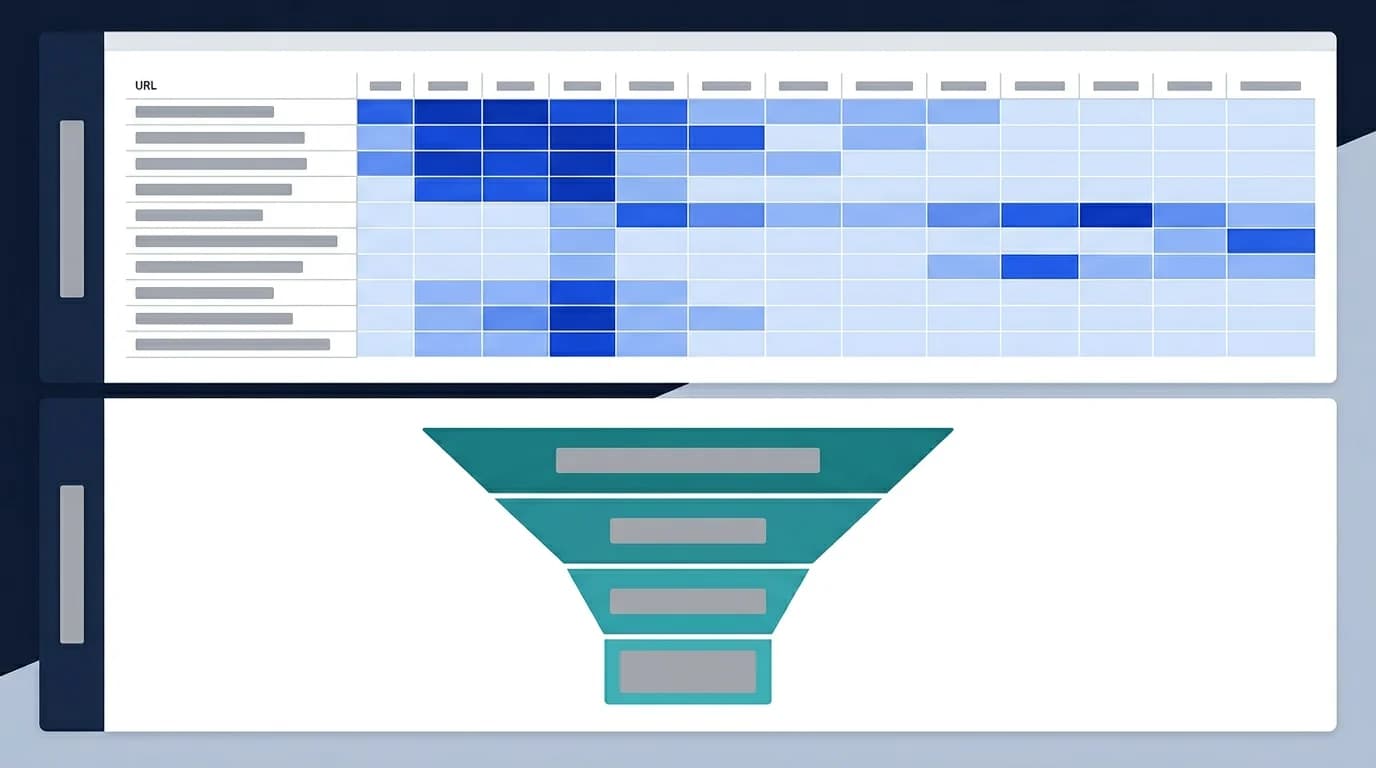
This guide explains how log file analysis helps technical SEO teams, what patterns to look for first, and how to turn raw bot requests into actionable crawl, indexation, and infrastructure decisions.
Log analysis shows real crawler behavior, not crawl theory
Many SEO decisions rely on inferred behavior. Logs are different because they show actual requests hitting the server or edge layer.
That means logs can answer questions like:
- which routes bots fetch most often
- which sections get very little crawler attention
- how often bots hit redirects, errors, or parameters
- whether important templates are being revisited
- whether infrastructure is spending resources on low-value routes
How logs replace inferred crawl behavior with evidence
This makes logs especially useful when teams need to move from assumptions to operational priorities, and they slot directly into the broader technical SEO audit checklist used to coordinate those priorities.
Start by segmenting logs by route family
Looking at logs as one giant stream is rarely useful. The strongest analysis usually starts by grouping requests into route families such as:
- core landing pages
- blog or editorial pages
- category or listing pages
- product pages
- faceted or parameterized URLs
- redirects, errors, and dead routes
This makes it easier to see whether crawler attention is being spent on the pages that actually matter.
Wasted crawl often becomes obvious in logs first
Logs are one of the fastest ways to identify crawl waste because they show repetitive behavior that may not be obvious in UI-based tools.
Common waste patterns include:
- frequent requests to redirected URLs
- repeated hits on faceted or parameterized states
- bot traffic concentrated on low-value or expired routes
- heavy recrawling of weak templates
- large volumes of requests on URLs that should have been retired
Where crawl budget actually leaks
This is why log analysis sits so close to crawl budget optimization. Logs show where crawl budget is actually leaking.
Status-code patterns become more useful in aggregate
It is easy to inspect one URL and confirm that the status code is correct. Logs help because they reveal how those responses behave at scale.
Useful questions include:
- how many bot requests hit
301chains - whether deleted routes still receive frequent
404or410traffic - whether temporary failures create bursts of
503 - whether low-value routes keep returning
200and consuming crawl attention
Why volume and pattern matter more than any single status code
This is where log analysis overlaps directly with HTTP status codes for SEO and crawlers. The issue is often not one bad code. It is the volume and pattern of bad codes across a route family.
Logs help verify whether important routes are truly discoverable
Teams often assume a page is discoverable because it is linked internally or appears in the sitemap. Logs provide the reality check.
If key routes are rarely or never fetched, the problem may involve:
- weak internal-link placement
- poor sitemap alignment
- excessive crawl competition from low-value routes
- route depth or orphaning
- low perceived importance of the template family
How logs explain discovered-but-not-crawled patterns
This is why logs are helpful when diagnosing why pages are discovered but not crawled. They show where the crawler is spending time instead.
Bot verification matters before drawing conclusions
Not every bot-looking request is a search engine crawler. Logs often include scrapers, monitoring systems, link preview bots, AI fetchers, and generic automation traffic.
That is why strong log analysis usually separates:
- verified search crawlers
- answer-engine or AI fetchers where relevant
- performance monitors
- generic bot noise
- suspicious or abusive automation
How to separate strategic crawl from bot noise
This is where log review connects naturally with bot detection and offloading bot visits. Before acting on crawl patterns, the team needs to know which requests are actually strategic.
JavaScript-heavy routes are easier to diagnose with logs plus rendering checks
Logs alone cannot tell you whether the bot received meaningful HTML or whether key paint metrics like Largest Contentful Paint actually arrive on time for crawlers. They do show where bots repeatedly request JS-heavy routes, whether those routes are revisited, and whether fetch behavior differs by template family.
That is especially useful when:
- important app routes are being crawled but underperforming
- bots revisit the same JS-heavy pages frequently
- expensive templates attract attention without yielding strong indexation outcomes
- route families show high crawl activity but weak visibility
When to pair logs with rendering and prerender checks
This is where logs become more powerful when combined with prerendering checks and route-level output inspection.
A practical crawl-log review framework
For most teams, a useful analysis sequence is:
- Group requests by verified bot type.
- Group routes by family or template.
- Review status-code distribution by segment.
- Identify repeated requests to redirects, parameters, and dead routes.
- Compare high-value route families against low-value ones.
- Turn the biggest waste patterns into cleanup priorities.
This turns raw logs into something the team can act on.
What strong log findings usually lead to
The most useful findings usually create implementation work such as:
- removing duplicate crawl paths
- cleaning redirect chains
- improving internal links to priority templates
- removing dead routes from sitemaps
- tightening bot-routing or offloading logic
- improving machine-facing output on expensive routes
How to turn findings into route-policy changes
Log analysis is most valuable when it produces concrete changes in route policy or infrastructure, not just charts.
Logs are especially useful after technical changes
Log analysis becomes even more valuable after:
- migrations
- taxonomy or URL changes
- prerendering rollouts
- internal-link restructures
- large content or product expansions
These are the moments when teams need to confirm that crawlers are responding to the new architecture the way they expected.
Common mistakes in log file analysis
The most common mistakes are:
- analyzing all requests without segmenting route families
- trusting user-agent strings without bot verification
- looking at volume without looking at route value
- treating logs as a standalone solution instead of connecting them to live route checks
- ignoring redirect and error patterns because the site "still works"
These mistakes usually turn logs into noise instead of insight.
Conclusion
Log file analysis is one of the most direct ways to understand how technical SEO systems are behaving in production. It reveals whether crawlers are spending attention on the pages that matter, whether low-value routes are stealing crawl time, and whether status codes, redirects, or route families are creating avoidable waste.
The strongest teams use logs to validate reality, not just assumptions. Once crawler behavior is visible at the route-family level, crawl optimization becomes much easier to prioritize and much harder to guess wrong.
Content Cocoon
Log File Analysis Cluster
This article should connect log analysis back to crawl budget, response behavior, route prioritization, and the broader technical SEO systems that determine whether crawler attention is reaching the pages that matter most.
Internal Pathways
Crawl Budget Optimization for JavaScript Sites
A companion article for understanding why log analysis is one of the clearest ways to validate where crawler attention is actually being spent.
HTTP Status Codes for SEO and Crawlers
Useful when logs reveal repeated fetches on redirects, soft 404 patterns, or unstable response handling across route families.
Bot Detection and Offloading Bot Visits
Relevant when teams need to separate verified crawler behavior from generic bot noise and understand how bot traffic affects infrastructure and crawl quality.
Technical SEO Audit
The parent service for teams turning raw crawler logs into route-level findings, cleanup priorities, and implementation plans.
External Technical References
Crawler Checker
Helpful for validating the live crawler-facing behavior that log patterns are pointing to.
SEO Audit Tool
Useful when log findings need to be connected back to metadata, status-code, and rendering diagnostics.
Prerender Checker
Helpful when crawler logs show repeated fetches on JavaScript-heavy routes and teams need to inspect machine-facing output directly.
Frequently Asked Questions
What is log file analysis in technical SEO?+
It is the practice of reviewing real server or edge logs to understand how crawlers request URLs, which route families they prioritize, and where crawl attention is being wasted.
Why are logs more useful than assumptions about crawl behavior?+
Because logs show actual requests and response patterns instead of inferred behavior from sitemaps, links, or indexation reports alone.
What should teams segment first in crawl logs?+
Usually verified bot type, route family, and status-code pattern, because those three dimensions reveal where crawler time is being spent and which sections are inefficient.
Can logs diagnose rendering issues by themselves?+
Not fully. They show fetch behavior and route attention, but the strongest diagnosis comes when logs are combined with route-level checks of the machine-facing HTML and response behavior.