Site migrations rarely fail because one redirect is broken. They fail because many technical systems change at once: URLs move, canonicals shift, templates render differently, sitemap inventories drift, and crawlers need time to reinterpret the new architecture, which is exactly why Google's site move with URL changes guide treats it as a multi-system project rather than a redirect task. When those systems fall out of alignment, indexation loss becomes one of the first visible symptoms.
Updated for April 2026, this guide reflects current Search Console behavior around address-change reporting, redirect consolidation timing, and post-launch crawl recovery on JavaScript-heavy stacks.
That is why migration recovery should not be treated as a vague waiting period. It should be treated as a structured technical diagnosis. The goal is not only to restore traffic. The goal is to confirm that crawlers understand the new route map, the new preferred URLs, and the new machine-facing output as the site intended.
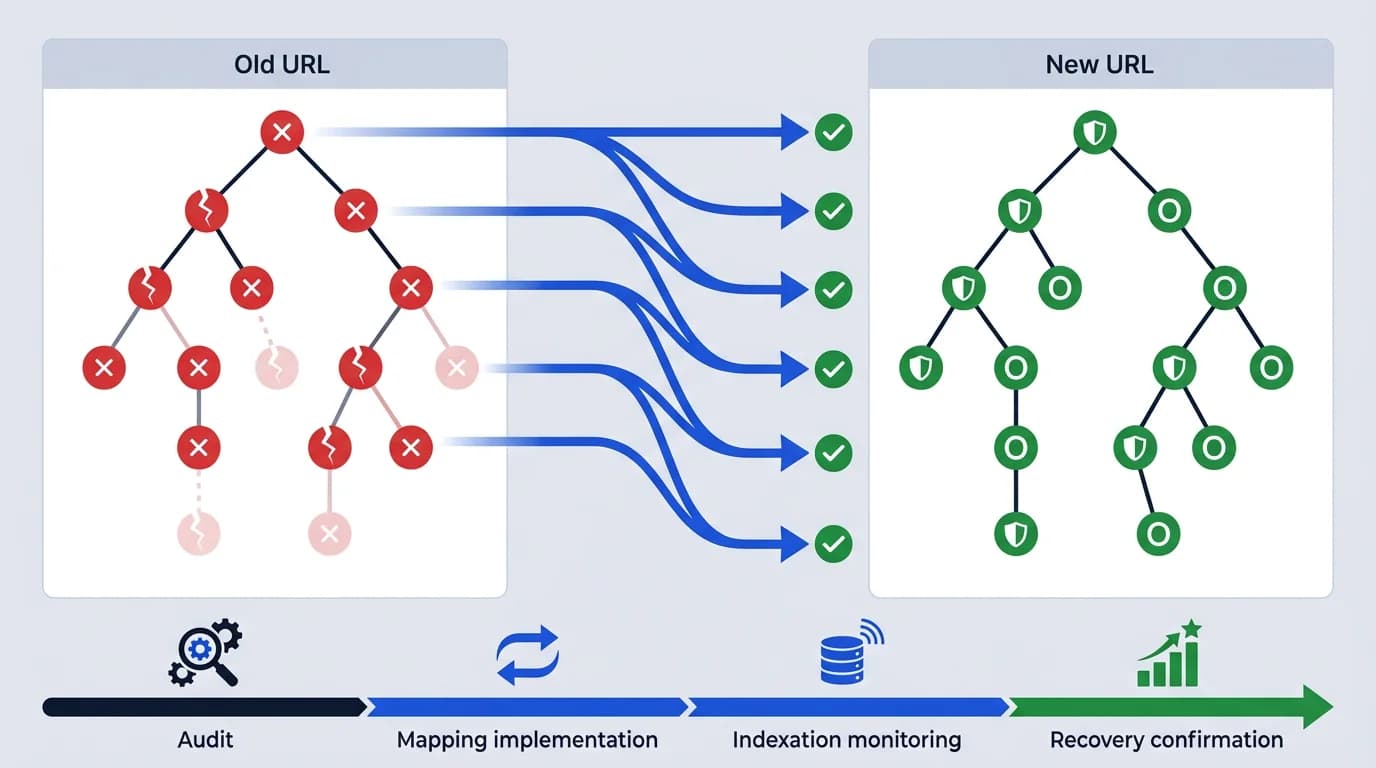
This guide explains how to approach indexation recovery after a migration, which technical failures usually drive the biggest losses, and how teams should prioritize post-launch fixes before the new architecture hardens into ongoing search instability.
Migration recovery starts with route understanding, not rankings alone
Traffic drops are often what teams notice first, but rankings and clicks are late-stage symptoms. The earlier question is whether search engines correctly understand what changed.
That usually means asking:
- which old URLs now map to which new ones
- whether the preferred destinations are stable
- whether crawlers are reaching the intended routes
- whether the new pages are being interpreted as legitimate replacements
Why traffic recovery is a late-stage signal
If those answers are unclear, the migration is still structurally unresolved even if some traffic has returned. That diagnostic posture is the same one used in a broader technical SEO audit checklist.
Redirect mapping is the first recovery layer
Strong recovery nearly always starts with redirects because they are the main bridge between the old site and the new one.
Post-migration redirect validation usually needs to check, in line with Google's notes on HTTP and network errors:
- whether important legacy URLs return direct
301responses - whether chains or loops exist
- whether old URLs point to true equivalents instead of generic substitutes
- whether deleted routes are being handled honestly rather than forced into weak destinations
How redirect quality controls recovery speed
This is why recovery work overlaps directly with HTTP status codes for SEO and crawlers. The quality of the redirect model shapes how quickly crawlers can consolidate their understanding of the new site.
Canonical drift can quietly slow recovery
Many migrations create new URLs but leave canonical logic partially tied to the old site structure or unstable route states. That can create a confusing situation where redirects say one thing and canonicals say another.
Common post-launch canonical problems include:
- old canonical targets still referenced in templates
- new routes canonicalizing to generic parents
- alternate path systems competing for the same meaning
- hydrated output rewriting the canonical after first response
Why post-launch canonical instability slows consolidation
That is why migration recovery often sits close to canonical issues on JavaScript websites. If the preferred URL model is unstable after launch, crawlers take longer to settle on the right pages.
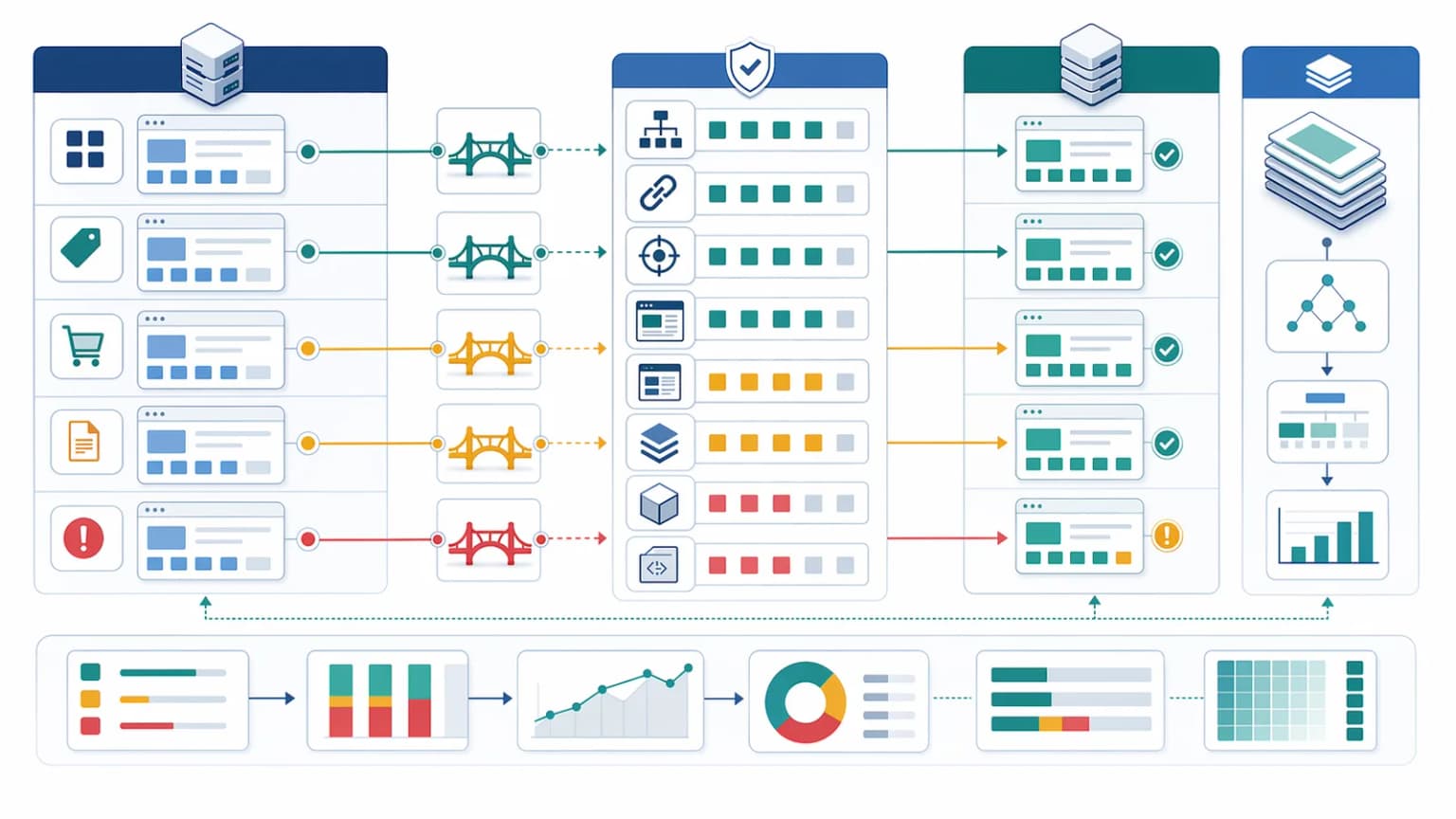
Indexation loss often happens by route family, not by random page
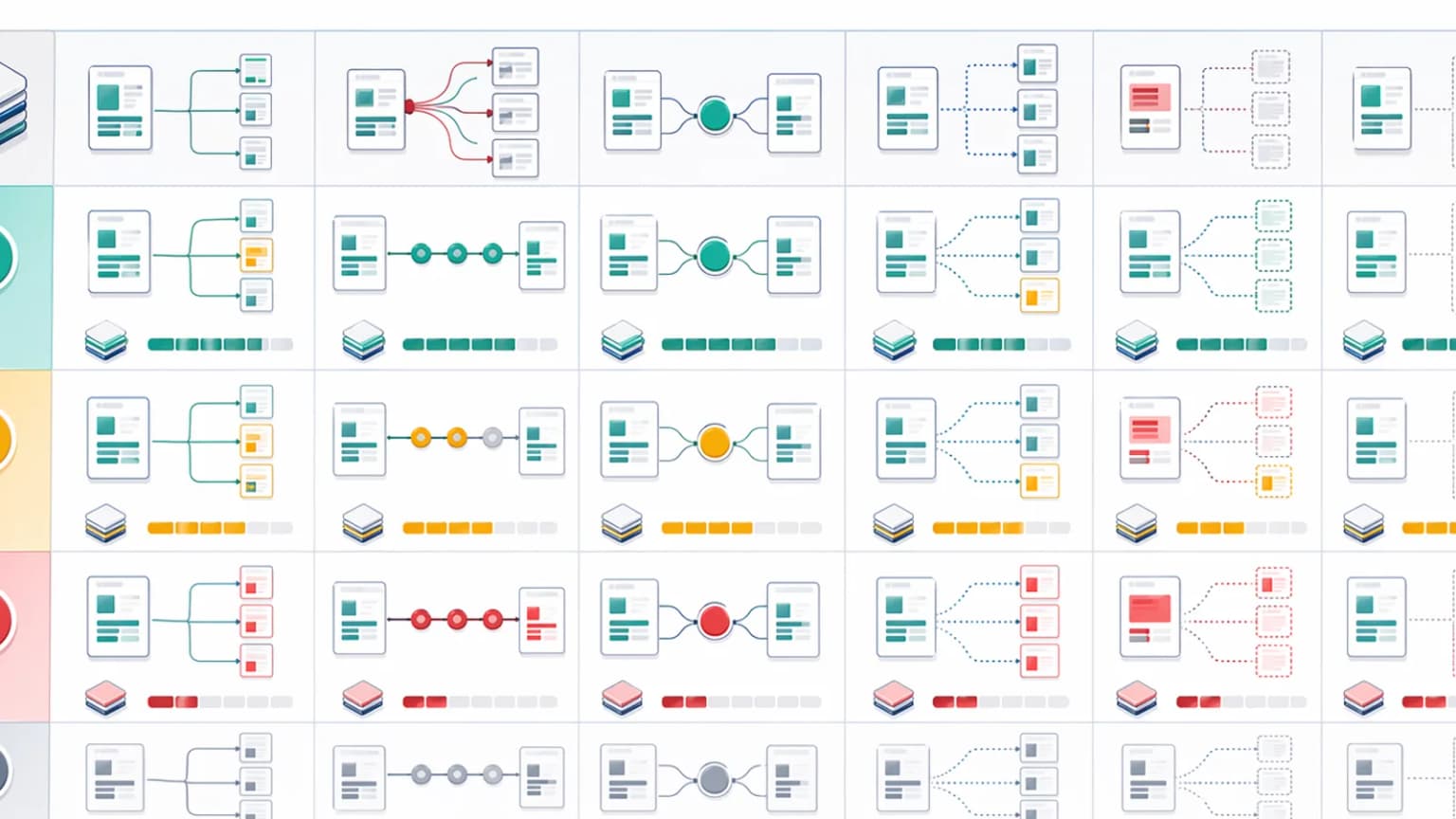
The safest way to review a migration is by route family:
- legacy landing pages
- blog articles
- category or listing pages
- product or programmatic pages
- utility or support routes
This matters because one broken template family can create a large recovery problem even if other parts of the site look healthy. Teams that only spot-check a few flagship pages usually miss the deeper post-migration pattern.
Sitemaps should reflect the new reality quickly
Post-migration sitemaps should help search engines understand the new canonical inventory, not prolong confusion about the old one.
That usually means:
- removing old URLs from live sitemap inventories
- including only current canonical destinations
- segmenting sitemap sections when route families need closer review
- confirming that sitemap URLs return the intended status codes and metadata
Why sitemap hygiene shapes re-interpretation speed
This is why migration recovery overlaps directly with the XML sitemap guide for technical SEO. Sitemap hygiene is one of the clearest ways to support post-launch re-interpretation.
Logs reveal whether crawlers are adapting to the new architecture
Search console signals can lag. Logs help show what crawlers are actually doing now.
Useful migration questions include:
- Are bots still spending heavy attention on old redirected URLs?
- Are the new destinations being revisited often enough?
- Which route families remain underfetched?
- Are bots wasting time on broken, duplicate, or low-value new states?
How logs make adaptation visible during recovery
This is why recovery work becomes much stronger when combined with log file analysis for technical SEO. Logs make the adaptation process visible instead of hypothetical.
Rendering differences after replatforming can block recovery
Many migrations and replatforming projects involve framework changes or delivery-layer changes, not just URL updates. In those cases, recovery can be slowed by weak machine-facing output on the new stack.
Common problems include:
- thinner first-response HTML on the new site
- metadata injected later than before
- schema omitted or delayed after hydration
- category or product templates relying too heavily on runtime assembly
When the new URL is weaker than the old one
This is where migration recovery overlaps with Next.js rendering decisions for SEO and AI visibility and prerendering. The page may exist at the new URL but still be a weaker source document than its old version.
Soft 404s and thin templates often appear after launch
Migrations frequently create new weak pages indirectly, even if the old site did not have them. Examples include:
- migrated URLs landing on thin fallback templates
- old inventory mapped to low-value category shells
- catch-all pages returning
200for unresolved routes - empty content states introduced by missing data connections
How fallback templates create silent recovery drag
That is why recovery also connects to soft 404s and thin pages at scale. If the new site is technically live but filled with low-value fallback states, crawlers may continue to deprioritize it.
A practical post-migration recovery workflow
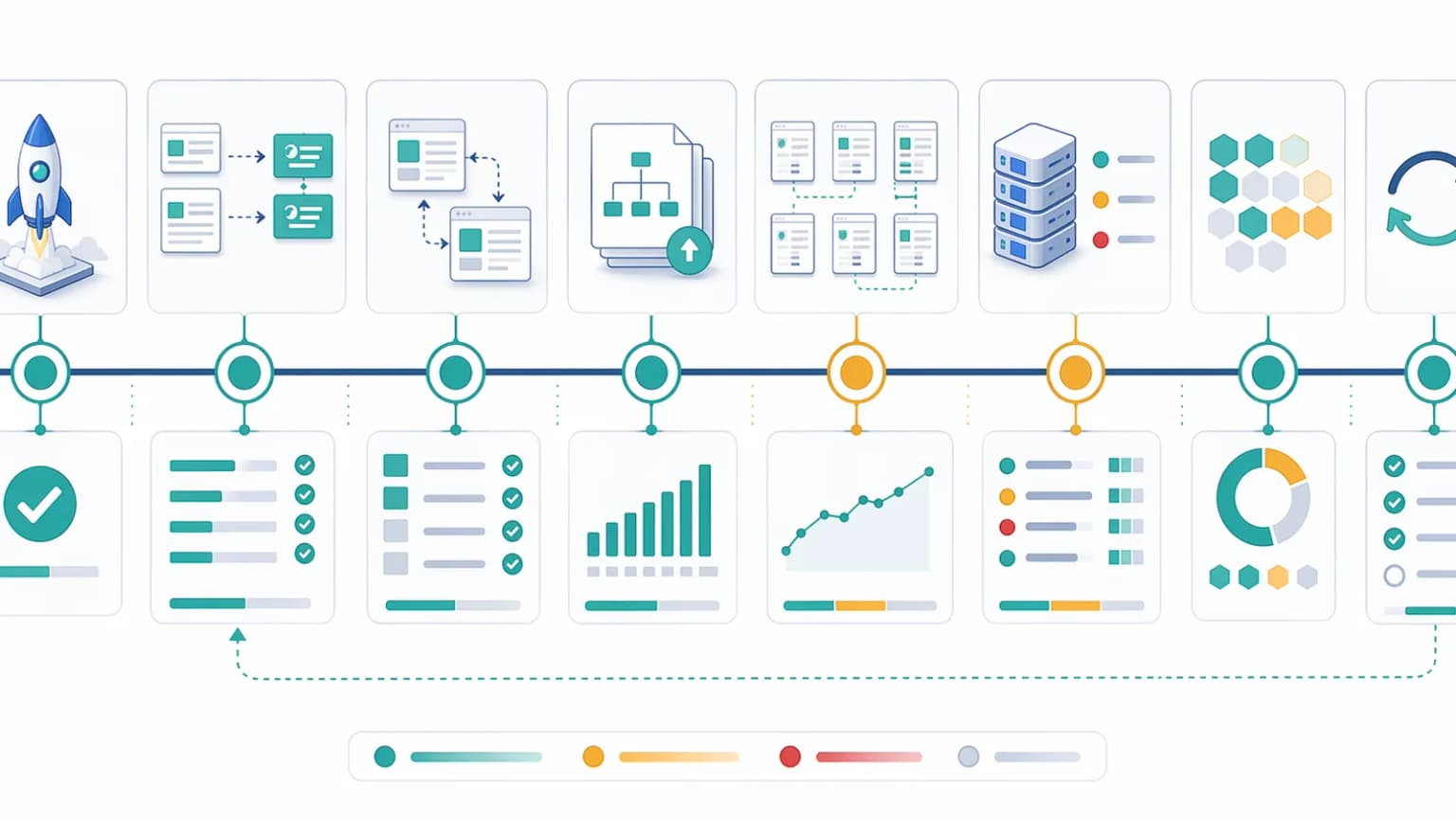
For most teams, a useful workflow is:
- Group old and new URLs by route family.
- Validate direct redirect behavior on priority legacy URLs.
- Check canonicals, titles, and schema on the new destinations using Search Console's URL Inspection tool on representative pages.
- Review sitemap inventories for only live canonical URLs.
- Inspect logs to see where crawlers still spend their time.
- Fix the route families causing the biggest ongoing confusion first.
This keeps recovery focused on structural issues rather than reactive page-by-page panic.
What to prioritize first
The highest-leverage recovery fixes are usually:
- direct
301mappings for valuable old URLs - canonical cleanup on the new templates
- sitemap correction for current canonical routes
- rendering fixes on important machine-facing pages
- retirement or correction of thin fallback routes
These changes usually improve recovery faster than broad content rewrites during the first post-launch phase.
Common migration recovery mistakes
The most common mistakes are:
- checking only traffic and rankings without validating route behavior
- treating redirects as enough without reviewing canonicals
- leaving old URLs in sitemap inventories
- assuming the new rendering stack is equivalent without testing the first response
- reviewing a handful of pages instead of route families
- waiting too long to investigate obvious post-launch indexation drift
These mistakes usually prolong recovery because the site keeps sending mixed signals while the team waits for search engines to guess the intended outcome.
Conclusion
Indexation recovery after migrations is not mainly about patience. It is about reducing ambiguity. Search engines recover faster when redirects, canonicals, sitemaps, and machine-facing output all reinforce the same new route model.
The strongest teams treat migration recovery like structured technical triage. They validate the new architecture by family, use logs to see how crawlers adapt, and fix the routes that keep the old and new site models in conflict. That is what turns a shaky launch into a recoverable one.
Content Cocoon
Indexation Recovery After Migrations Cluster
This article should connect post-migration recovery back to redirects, canonical policy, crawl validation, and the broader technical SEO systems that determine whether the new site architecture is being understood as intended after launch.
Internal Pathways
Canonical Issues on JavaScript Websites
A companion article for understanding how unstable canonical output after relaunch can slow or distort migration recovery.
HTTP Status Codes for SEO and Crawlers
Useful when migration recovery depends on validating redirects, deleted routes, and temporary failure handling at scale.
Log File Analysis for Technical SEO
Relevant when teams need to confirm how crawlers are actually interacting with the new route map after launch.
Technical SEO Audit
The parent service for teams diagnosing migration-related crawl loss, canonical drift, redirect problems, and route-level recovery priorities.
External Technical References
Crawler Checker
Helpful for checking whether migrated URLs and their destinations return the intended crawler-facing output.
Extract Sitemap Tool
Useful for validating whether the post-migration sitemap inventory reflects only live canonical URLs.
SEO Audit Tool
Helpful when post-launch indexation loss overlaps with metadata, redirects, and route-quality issues.
Bridge DNS, reversible delegation
Relevant when recovery planning depends on how fast a DNS change can be undone; per-record TTL control is what shortens that window. Pre-launch.
Frequently Asked Questions
What should teams check first after a migration-related indexation drop?+
They should usually start with redirect behavior, canonical alignment, and sitemap accuracy on the highest-value route families before focusing on rankings alone.
Why do migrations often create indexation loss by template family?+
Because route mapping, metadata, rendering, and fallback behavior are usually implemented by template, so one broken family can affect many URLs at once.
Can a migration recover if the new URLs are live but the output is weaker?+
Yes, but recovery is slower if the new site delivers thinner HTML, unstable canonicals, or weaker machine-facing content than the previous version.
How do logs help after migrations?+
They show whether crawlers are still spending attention on old redirected URLs, whether new destinations are being revisited, and which route families remain underfetched or confusing.