The prerendering decision is rarely about whether, it is about who runs the cluster. Once a team has decided their JavaScript-heavy site needs deterministic HTML for crawlers and AI engines, the next question is who owns the headless Chrome fleet, the cache, the bot detection, and the on-call rotation. There are good answers in both directions, and the choice is usually wrong when teams pick on price alone.
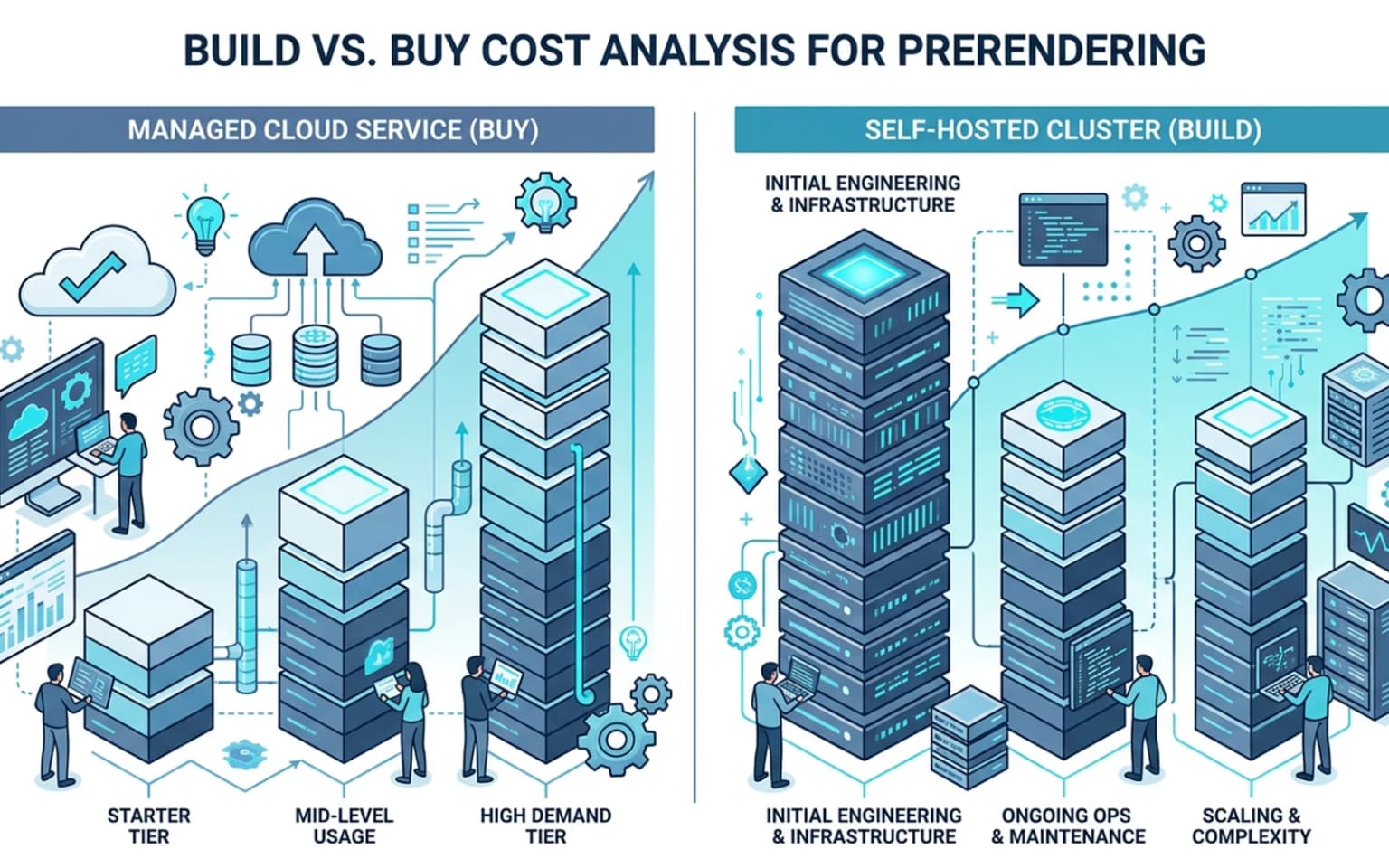
Updated for April 2026, this guide breaks down the real cost comparison between managed prerendering services (Prerender.io, Rendertron, Ostr.io managed plans) and self-hosted clusters. We cover the visible costs (per-render fees, per-URL fees, infrastructure spend), the invisible costs (engineering time, on-call burden, debugging blast radius), and the threshold where each option starts winning. The framing pairs with the broader prerendering for technical SEO work, the prerendering vs SSR vs SSG decision guide, and the higher-level prerendering service decision.
Why this is a real decision, not a marketing one
Most articles about build vs buy in any technical category are written by the seller. The "buy" article comes from a SaaS vendor; the "build" article comes from someone who built the thing in-house. Both are useful for what they are.
This article is neither. We have shipped prerendering on managed services for clients who needed something working in 3 days, and we have built and operated self-hosted clusters for clients who needed full control. The honest position is that each option wins under specific conditions. The trap is letting one team's preference become the policy without checking whether the site actually fits.
Three numbers usually decide:
- Pages prerendered per month, the variable cost driver
- Templates prerendered, the configuration complexity driver
- How fast the team needs it live, the time-to-launch driver
Below the lines those numbers cross, managed services dominate. Above them, self-hosting almost always wins. The middle is where the call is hardest.
What managed prerendering actually costs
A managed prerendering service like Prerender.io charges per cached URL or per render, depending on plan. Pricing changes, but the rough shape in 2026:
- Free or starter tiers, typically capped at 250 to 1,000 cached URLs. Useful for testing, not for production.
- Mid-tier plans, $90 to $400 per month for 5,000 to 50,000 cached URLs, with monthly recache cycles
- Enterprise plans, custom pricing for sites over 250,000 URLs, often $1,000+ per month
- Per-render overage, most services charge for renders beyond the cached count, which becomes the cost driver if your site changes content frequently
The real bill on a 50,000-URL content site that updates daily often lands at $400 to $800 per month after overages. That is the visible cost.
The invisible costs:
- Lock-in, the bot detection logic and middleware tend to live inside the vendor's plugin, not your codebase. Switching vendors becomes a 1 to 2 week project.
- Limited customization, most managed services prerender a fixed configuration. If your site needs custom hreflang handling, custom canonical logic, or specific structured data injection per template, you may hit the limits of what the vendor exposes.
- Cache invalidation latency, 1 to 24 hours is common. For sites with breaking news or rapid editorial cycles, that is a real problem. We covered the related operational mechanics in rendering QA checklist for SEO releases.
The vendor's incentive is to keep the service simple, which is fine for most use cases and frustrating for the cases that need depth.
What a self-hosted prerendering cluster actually costs
Self-hosted prerendering means running headless Chrome (or a similar engine) on your own infrastructure, behind your own caching layer, with your own bot detection. The reference open-source implementations are Rendertron (Google's, archived but still functional), Prerender (open-source) (the OSS version of Prerender.io), and a few smaller alternatives.
Visible infrastructure costs:
- Compute, a small cluster running 3 to 5 headless Chrome instances on managed Kubernetes runs $150 to $500 per month at low volume, $800 to $2,500 at higher volume
- Cache, Redis or similar, typically $30 to $200 per month
- Edge / CDN routing, Cloudflare Workers, Vercel Edge Functions, or AWS CloudFront with custom logic, $20 to $200 per month
- Monitoring, Datadog, Grafana Cloud, or similar, $50 to $300 per month
That puts the infrastructure floor at $250 to $400 per month for a small site, scaling to $2,000 to $5,000 per month for large catalogs.
The invisible costs are larger and where teams tend to underestimate:
- Initial setup, 2 to 6 weeks of engineering time depending on how custom the routing needs to be. At $150–$200 an hour blended rate, that is $24,000 to $96,000 of upfront engineering cost.
- Ongoing maintenance, 4 to 16 engineering hours per month for cache tuning, bot detection updates, Chrome version upgrades, debugging stale cache issues
- On-call burden, when prerendering breaks, organic traffic drops within hours. On-call rotation has to know how to debug headless Chrome, which is a specialty.
- Bot list maintenance, keeping the user-agent list current as new AI crawlers (PerplexityBot, OAI-SearchBot, Anthropic's ClaudeBot, Bytespider, Google-Extended) launch every quarter
The crossover threshold
Three patterns we have seen on real engagements:
Below 10,000 prerendered URLs and standard configuration: buy
If the site has under 10,000 routes that need prerendering, content updates are weekly or slower, and the configuration fits inside a typical vendor's defaults, managed services almost always win. The math:
- Managed cost: $90 to $300 per month
- Self-hosted equivalent: $250+ infrastructure plus $5,000 to $20,000 setup amortized over 12 months = $670 to $1,800 per month effective
Buy wins by 3 to 6x at this scale. The small set of teams that should still build at this volume are teams that need very specific control, deep integration with internal tooling, or strict data residency.
10,000 to 100,000 URLs: it depends
This is the contested zone. The variable cost of managed services starts climbing past $400 per month. Self-hosted infrastructure becomes more cost-competitive. The deciding factors:
- How custom is the configuration? If standard, buy is still ahead. If you need per-template logic, build pulls ahead.
- How fast is the team? A team that can ship the cluster in 3 weeks and operate it cleanly tilts the math toward build.
- How much does the site change? High-frequency updates favor build (cache control), low-frequency updates favor buy (pay for cached URLs, not renders).
Above 100,000 URLs and complex configuration: build
At enterprise scale, managed services become 2 to 4x more expensive than self-hosted, and the configuration limits start hurting. The math flips:
- Managed: $1,500 to $5,000+ per month, with overage spikes
- Self-hosted: $1,500 to $3,500 per month plus 1 to 2 dedicated engineering days per month
Build wins on cost and on control. The integrations that mid-market plans can't expose, custom canonical logic, per-template structured data, multi-language hreflang automation, stale-while-revalidate at the edge, become straightforward to ship in your own cluster.
Where managed services win regardless of size
A few situations where buy is the right answer at any scale:
- Time pressure, if launch is in 2 weeks, build is not on the table. Managed wins.
- Engineering bandwidth constraints, if the team can't allocate even 10 hours a month to operating a cluster, buy.
- Compliance simplicity, if regulatory or audit requirements treat any third-party rendering as out-of-scope by default, managed (with appropriate contracts) is often the cleaner answer
- Pure proof-of-concept, if you are not yet sure the site benefits from prerendering, validate with managed first. The diagnostic is in how to test if your site needs prerendering.
Where self-hosting wins regardless of size
The cases where build is the right answer even at small volume:
- Strict data sovereignty, when crawler request data must stay on your infrastructure
- Ultra-low latency requirements where vendor cache lookup adds unacceptable latency
- Highly customized rendering pipelines, multi-step rendering, custom auth, content stitching that no managed plan exposes
- Strategic ownership, when prerendering is a core competitive surface and outsourcing it feels wrong long-term
The trap on the build side: treating "we will build it" as a commitment without scoping the actual operational load. Many teams underestimate the on-call cost.
What both options share, and why the framework choice still matters
Whether you build or buy, the prerendering layer is one component in a larger system. The same technical SEO concerns show up:
- Canonical logic at the template level, covered in canonical issues on JavaScript websites
- Bot detection accuracy, covered in bot detection and offloading bot visits
- Rendering parity verification, covered in SSR cloaking risks and semantic parity
- CI gates that catch regressions, covered in Lighthouse CI for technical SEO validation
The build-vs-buy decision changes who runs the cluster. It does not change the technical SEO discipline that has to live around it.
Decision matrix
| Scenario | Managed | Self-hosted |
|---|---|---|
| Under 10K URLs, standard config | ✅ Strong fit | ❌ Overkill |
| 10K–100K URLs, standard config | ✅ Often best | ⚠ Possible if custom |
| 100K+ URLs | ⚠ Expensive | ✅ Wins on cost & control |
| Tight launch timeline | ✅ Fastest | ❌ Too slow |
| Heavy customization needs | ❌ Hits limits | ✅ Direct control |
| Limited engineering bandwidth | ✅ Right call | ❌ Operational risk |
| Strategic ownership requirement | ❌ Misaligned | ✅ Right fit |
| AI crawler support across many bots | ⚠ Vendor-dependent | ✅ Direct control |
A common compromise, start managed, migrate if needed
We have run several engagements where the right answer was "managed for the next 6 months, then re-evaluate." The pattern:
- Start with a managed service to ship prerendering in weeks, not months
- Track real costs, configuration friction, and cache invalidation issues over 4 to 6 months
- If costs are climbing past $1,000 per month, configuration friction is constant, or specific limits are blocking the roadmap, plan a migration
- If costs are stable and the site is happy, stay
This avoids both the over-investment in a self-hosted cluster the team doesn't yet need and the lock-in to a managed service that becomes painful at scale. It does require a clean abstraction between the prerendering proxy and the application, the redirect logic from redirect bot traffic to prerendering gives the team that abstraction.
Common engineering mistakes
Patterns we see on the build-vs-buy decision:
- Picking managed because "it's cheaper than building," without modeling the per-render overage costs
- Picking self-hosted because "it's cheaper than buying," without modeling the engineering time
- Skipping the audit step and prerendering routes that didn't actually need it (more in which pages should use prerendering)
- Treating the vendor's free tier as "production" and getting blindsided by upgrade pricing at 5,000 URLs
- Building a self-hosted cluster on AWS Lambda without realizing cold starts kill the use case
- Rolling out managed prerendering without testing that the vendor handles your specific AI crawlers, most managed services lag on new bots by 1 to 2 quarters
The right decision is grounded in the site's specific shape, not in a general preference. Audit the volume, the configuration needs, the team capacity, and the launch pressure before committing.
Conclusion
Build vs buy for prerendering is a real decision with real tradeoffs. Managed services win for small-to-medium sites, time pressure, and standard configurations. Self-hosted clusters win at enterprise scale, with custom requirements, and when ownership matters strategically. The middle is contested, and the right answer depends on volume, configuration depth, and team capacity.
Either way, the prerendering layer is one part of a larger technical SEO system. The work that decides whether the site actually ranks happens in the canonical logic, the structured data, the rendering parity, and the CI gates that surround it. Pick the prerendering deployment that fits the team, then make sure the surrounding systems are doing their job.
Content Cocoon
Prerendering Decision Cluster
Tie the build-vs-buy decision back to the diagnostic question (do we need prerendering at all), the rendering model comparison (which path is right), and the operational layer that determines whether the deployment stays clean.
Internal Pathways
How to Test If Your Site Needs Prerendering
The diagnostic step before the cost decision, should the site prerender at all?
Prerendering vs SSR vs SSG: 2026 Decision Guide
The model comparison, which rendering path fits the site, before deciding who runs it.
Redirect Bot Traffic to Prerendering
The integration layer, keeping the prerendering proxy abstracted so build vs buy can be re-evaluated later.
Prerendering
The parent service for teams scoping prerendering as part of a broader technical SEO program.
External Technical References
Rendertron, Open-source prerendering reference
Google Chrome team's open-source prerendering implementation, useful as a self-hosted reference.
Prerender.io documentation
The managed-service vendor documentation, useful for understanding the configuration surface and pricing structure.
Bridge CDN, prerendering inside the edge
A third shape beside managed service and self-hosted cluster: an edge platform that includes prerendering, DNS, and TLS under one delegation. Pre-launch, with no published pricing.
Frequently Asked Questions
When does managed prerendering win on cost?+
Below 10,000 prerendered URLs with standard configuration. At that scale managed services run $90 to $300 per month while a self-hosted cluster costs $250 in infrastructure plus $5,000 to $20,000 in setup engineering, a 3 to 6x difference in favor of buy.
When does self-hosted prerendering win?+
Above 100,000 URLs or when configuration needs to go beyond what managed plans expose. At enterprise scale managed services become 2 to 4x more expensive than self-hosted, and the configuration limits start blocking technical SEO work that needs custom canonical, structured data, or hreflang logic.
How long does it take to build a self-hosted prerendering cluster?+
Two to six weeks of engineering time, depending on how much custom routing the site needs. Plus 4 to 16 hours per month of ongoing maintenance for cache tuning, bot list updates, and Chrome version upgrades.
Should I start managed and migrate to self-hosted later?+
Often yes. Start managed to ship in weeks, run for 4 to 6 months, and re-evaluate. If costs exceed $1,000 per month or configuration friction is constant, plan a migration. Build a clean abstraction between the prerendering proxy and the application from day one to keep the migration path open.